Announcement
Neptune Live: July, 2026
Neptune for tvOS launches on the App Store, Neptune for iOS begins TestFlight, Trident becomes completely free and waves of new features make their debut.

Neptune returned this month for its second live community broadcast, covering how the project is built, what is coming to tvOS, the first extended look at Neptune for iOS, and a clearer breakdown of what will be included with Neptune Pro. What began as a tour through the systems behind Neptune ended with its biggest milestones yet: Neptune for tvOS is now available on the App Store, and Neptune for iOS is live on TestFlight.
Here are some of the topics discussed during the event.
Neptune for tvOS
Neptune is now available on the tvOS App Store
After months of TestFlight builds, refactors, feature requests, logs and bug reports, Neptune is ready to welcome a much larger audience. App Store updates will move at a different pace now that every public build requires review, while the Pilot program will continue to provide earlier builds for those who prefer to follow development more closely.
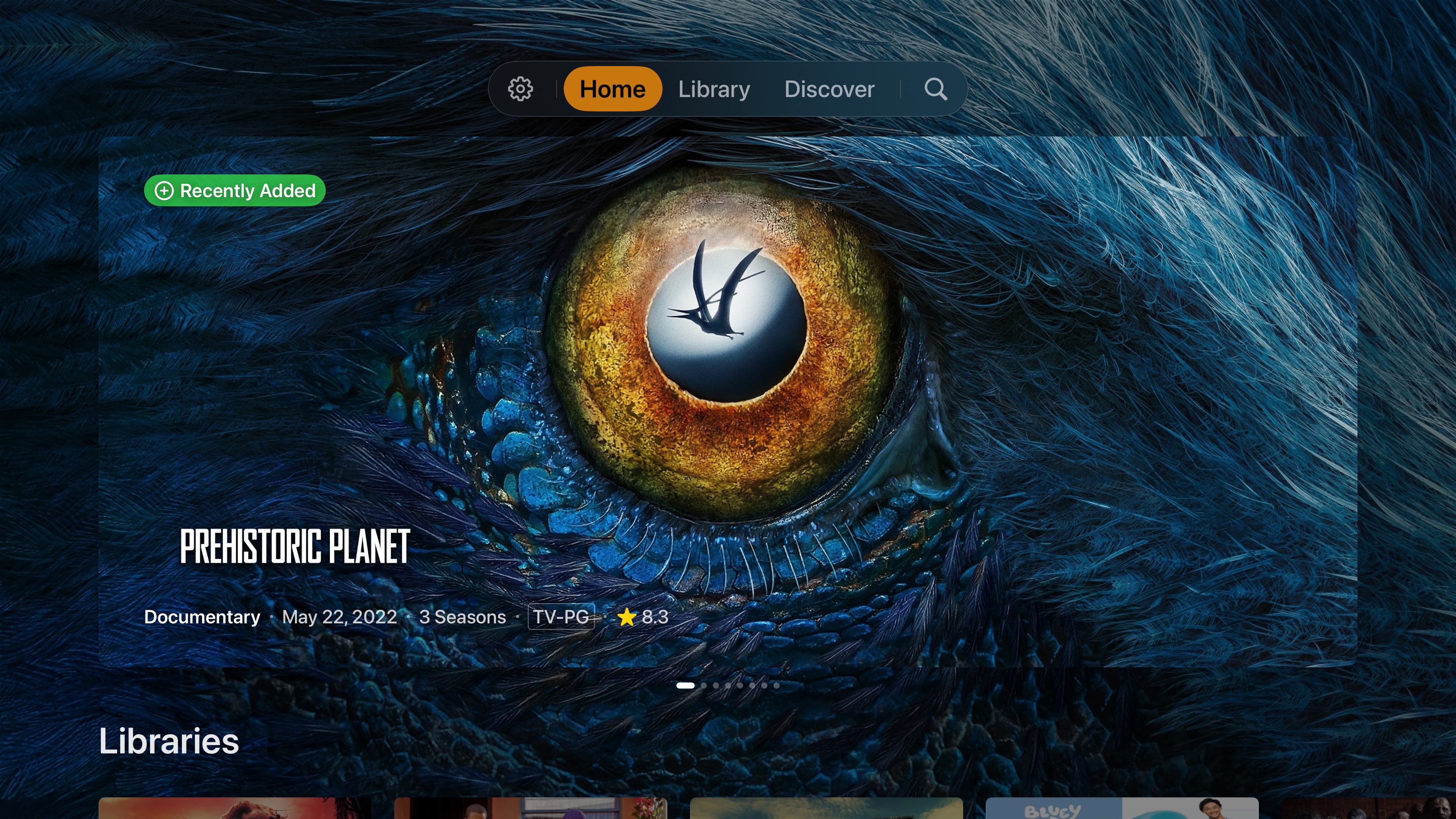
This initial release closes one chapter of Neptune’s story, but development is far from over and the best is yet to come. The App Store release establishes a stable public foundation for everything still being built around it. The live showcase covered features arriving across the App Store release and future builds. Some of these are ready now, while others remain active works in progress.
Top Shelf Cards, Banners and Cinematic Slides
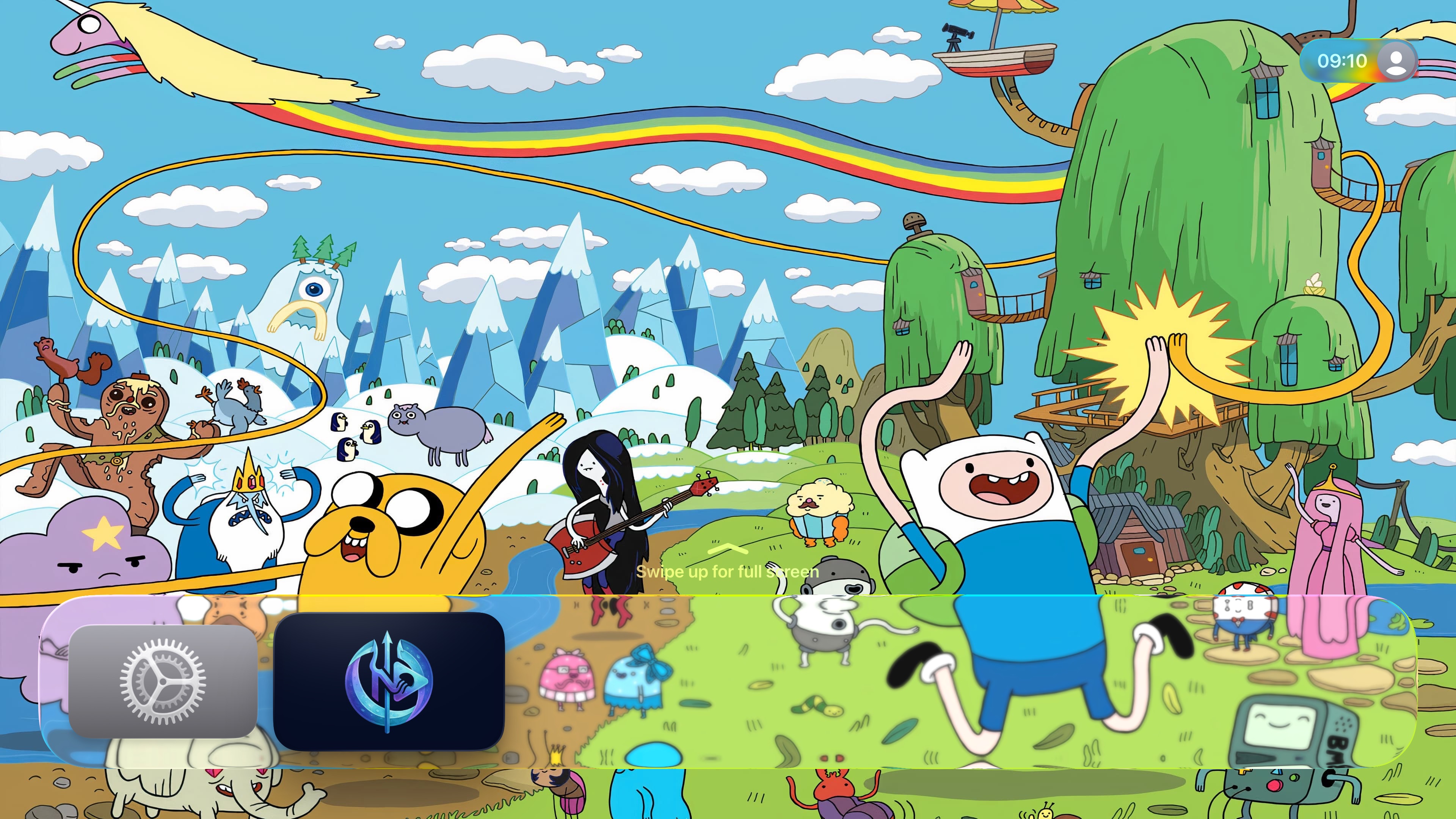
Top Shelf support is finally coming to Neptune, bringing library content directly onto the tvOS Home Screen. As expected, nearly every part of it can be customized.
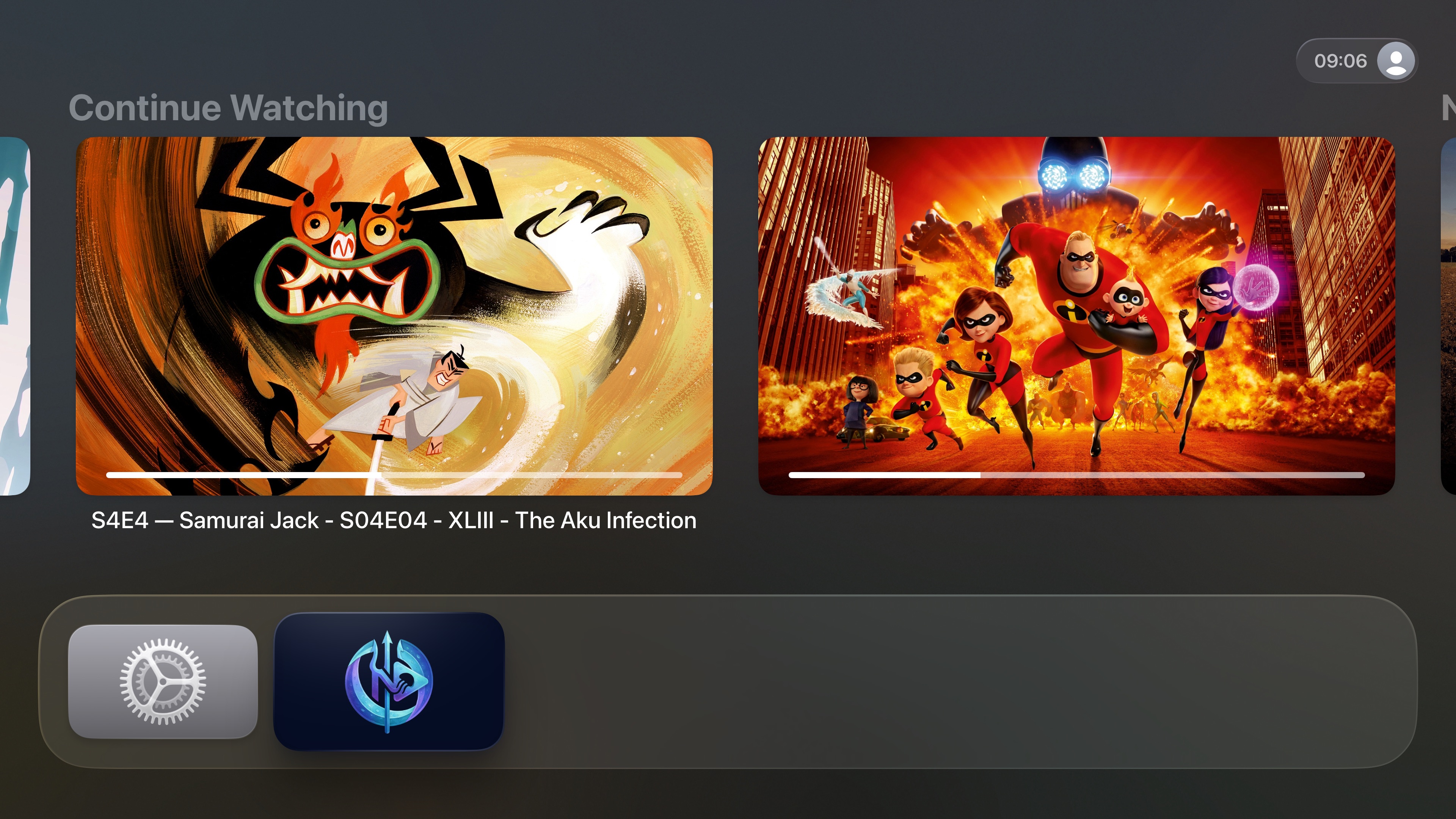
The standard card layout can display Continue Watching, Next Up, Favorites, Collections, or another selected source. You can control how many items appear, the order they use, and which part of the library supplies them. A second cinematic layout replaces the individual cards with a full-screen slideshow, allowing the active title to take over the background before revealing its description, cast, year, format, and playback options.
Introducing Neptune Studio
Some parts of tvOS cannot be customized from inside the app, either because they are easier to manage on the web or because the operating system does not expose enough control. Neptune Studio is a new server-side plugin designed for those parts of the interface.
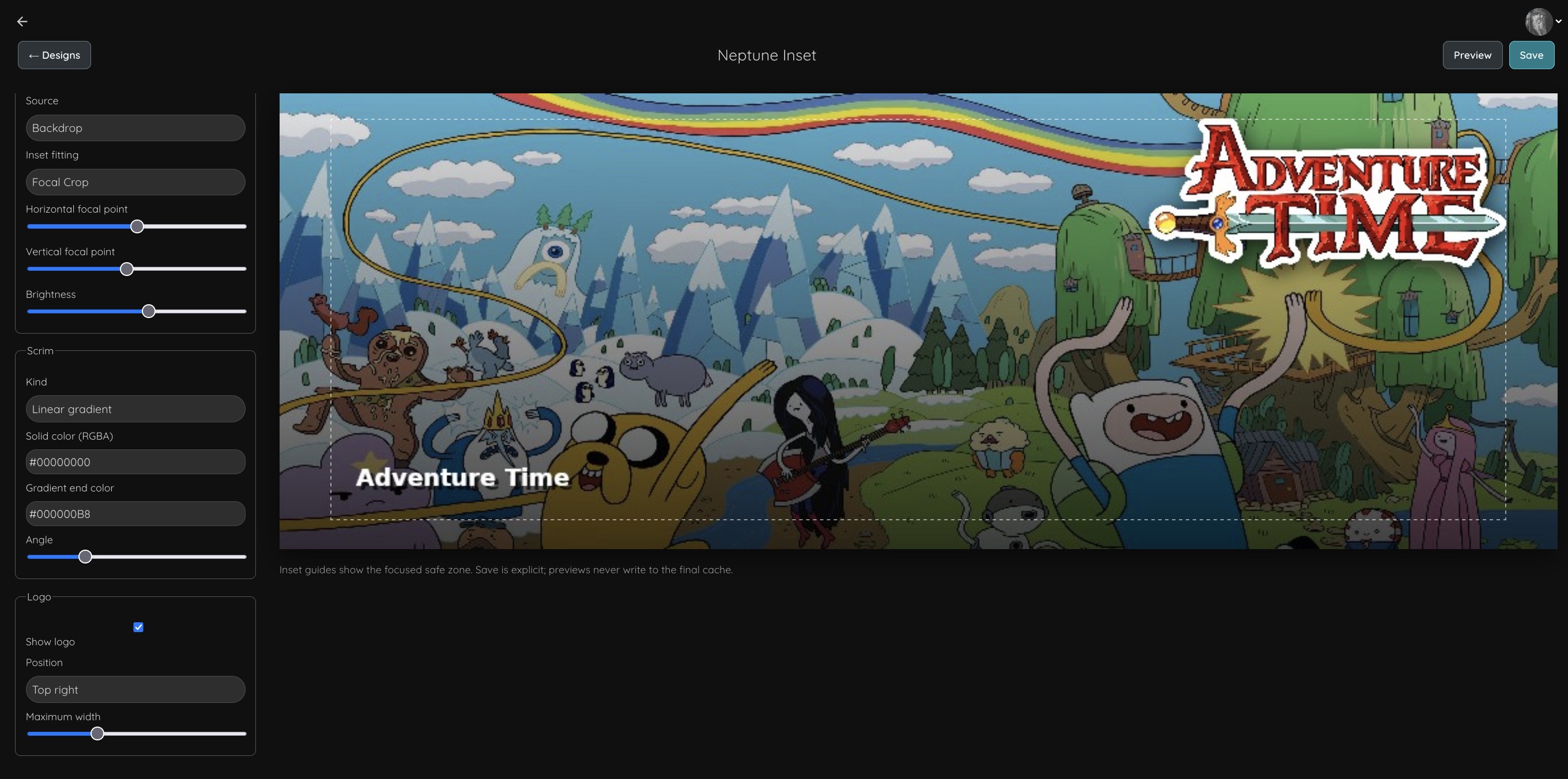
Its first feature is a visual template builder for Top Shelf. Artwork can be displayed full-screen, kept at its original aspect ratio with blurred edges, or cropped to fill the available space. Logos, titles, and episode information can be placed around the image, resized, and saved as a reusable template. That template then adapts itself to every item Neptune sends to Top Shelf.
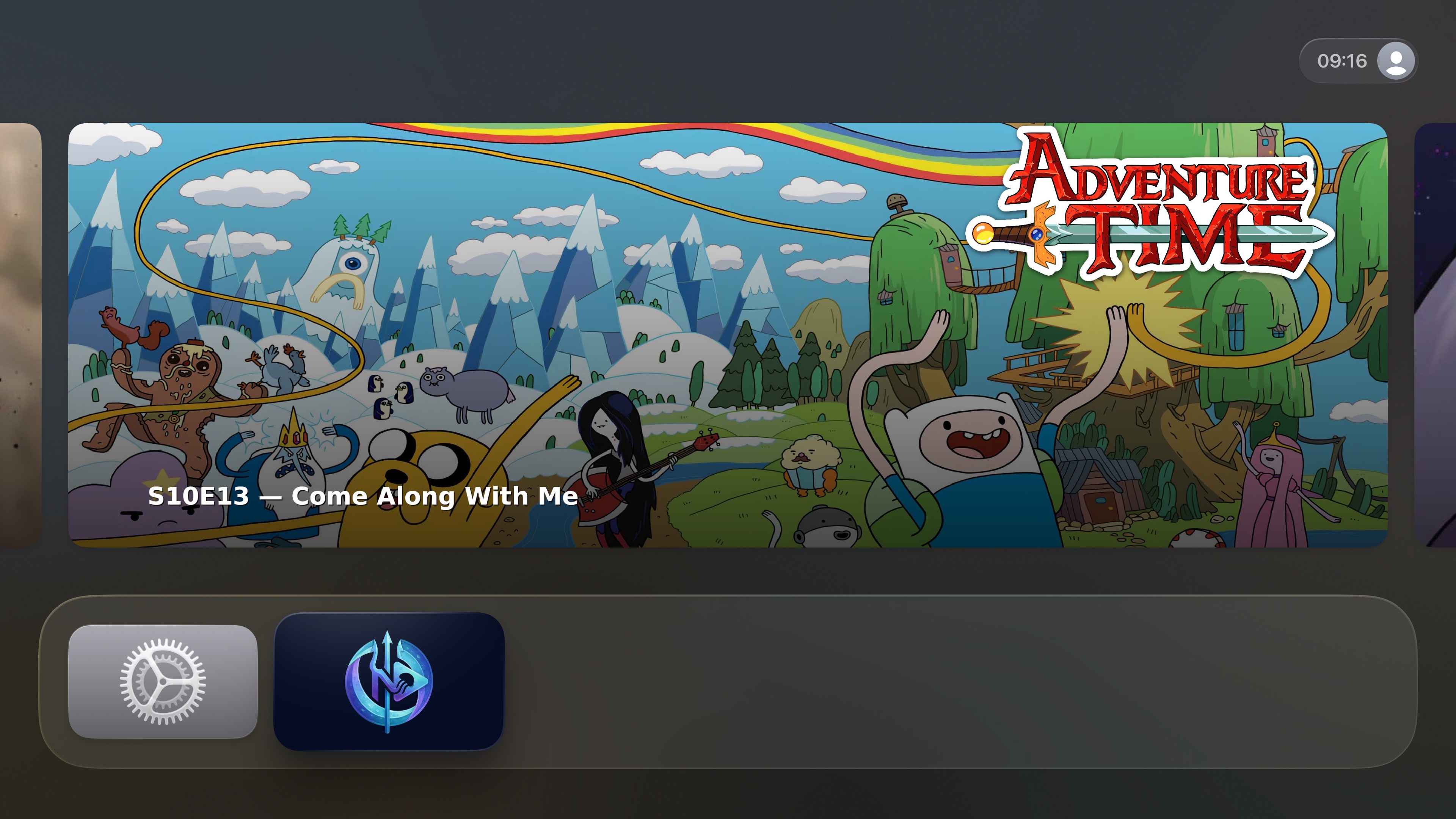
The goal is to extend Neptune’s existing customization model beyond the limits of a television interface, while still allowing the resulting design to update dynamically with the library.
A more personal library
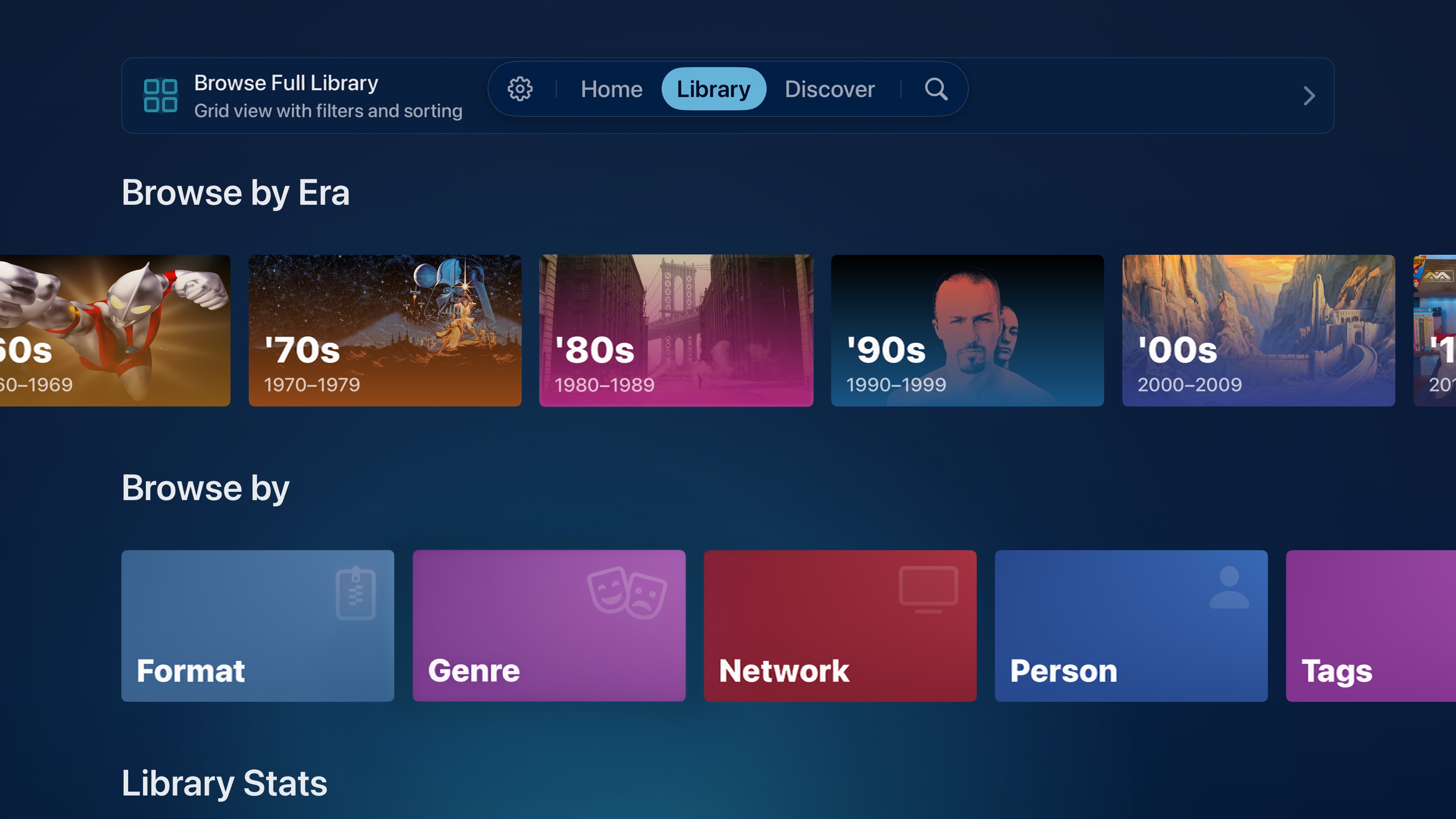
Era Cards, which previously used a static image for each decade, are now more personalized. Neptune will select artwork from the user’s own library for each era and choose a new item when the app starts. More eras and additional customization options are also being developed, replacing a fixed set of decades with something that better reflects the content a library actually contains.
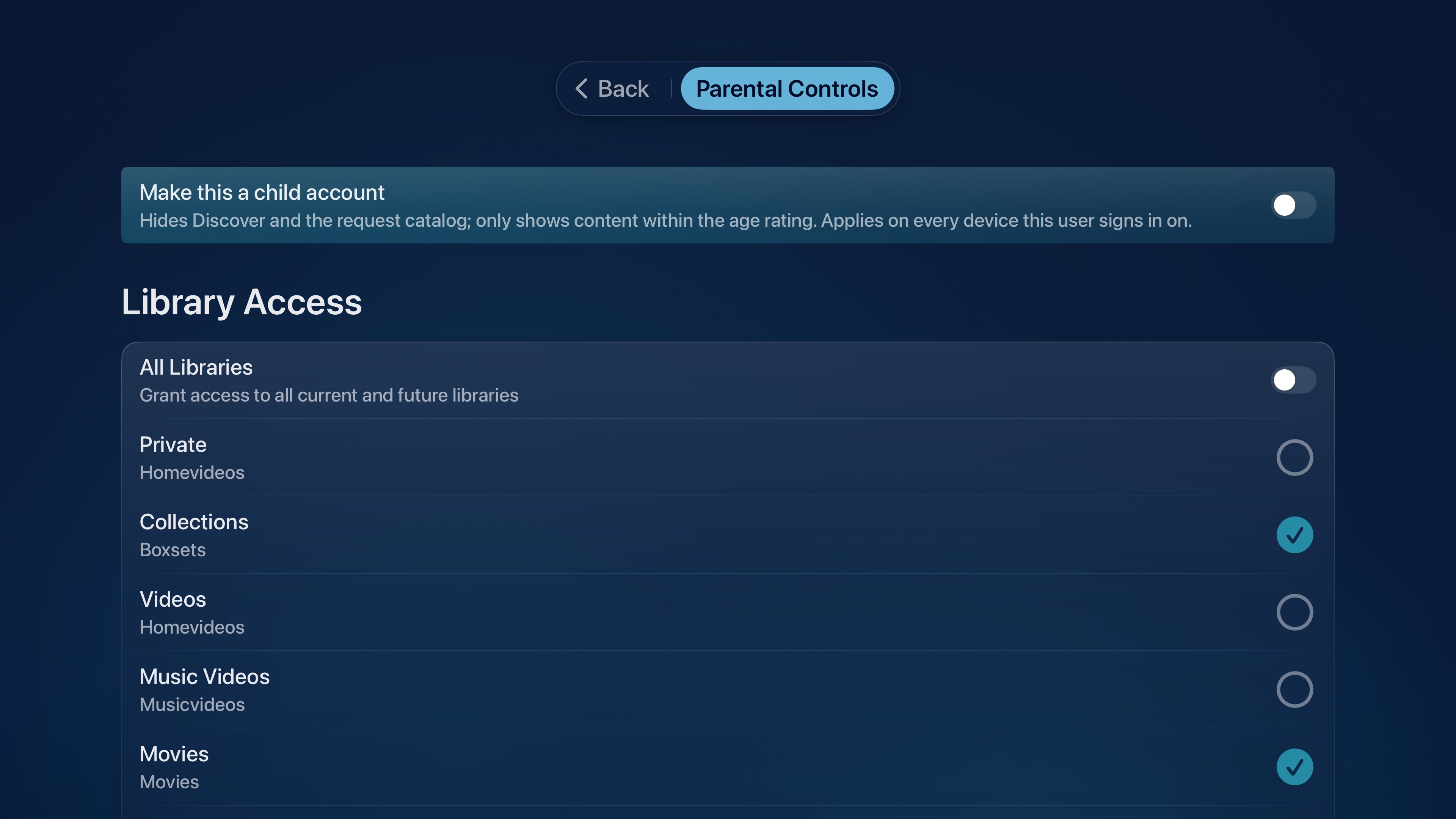
Child Accounts make their first appearance as well. Enabling one removes access to Seerr requests, limits settings and other controls, and shifts parts of the interface toward imagery rather than text. This feature is still under active development.
Neptune’s backend is also gaining support for interface localization. The demonstration showed Neptune rendering its menus in German, with the intent of translating every label and piece of interface text into the selected language. This work is not complete yet, and future TestFlight builds will help expand and validate language support.
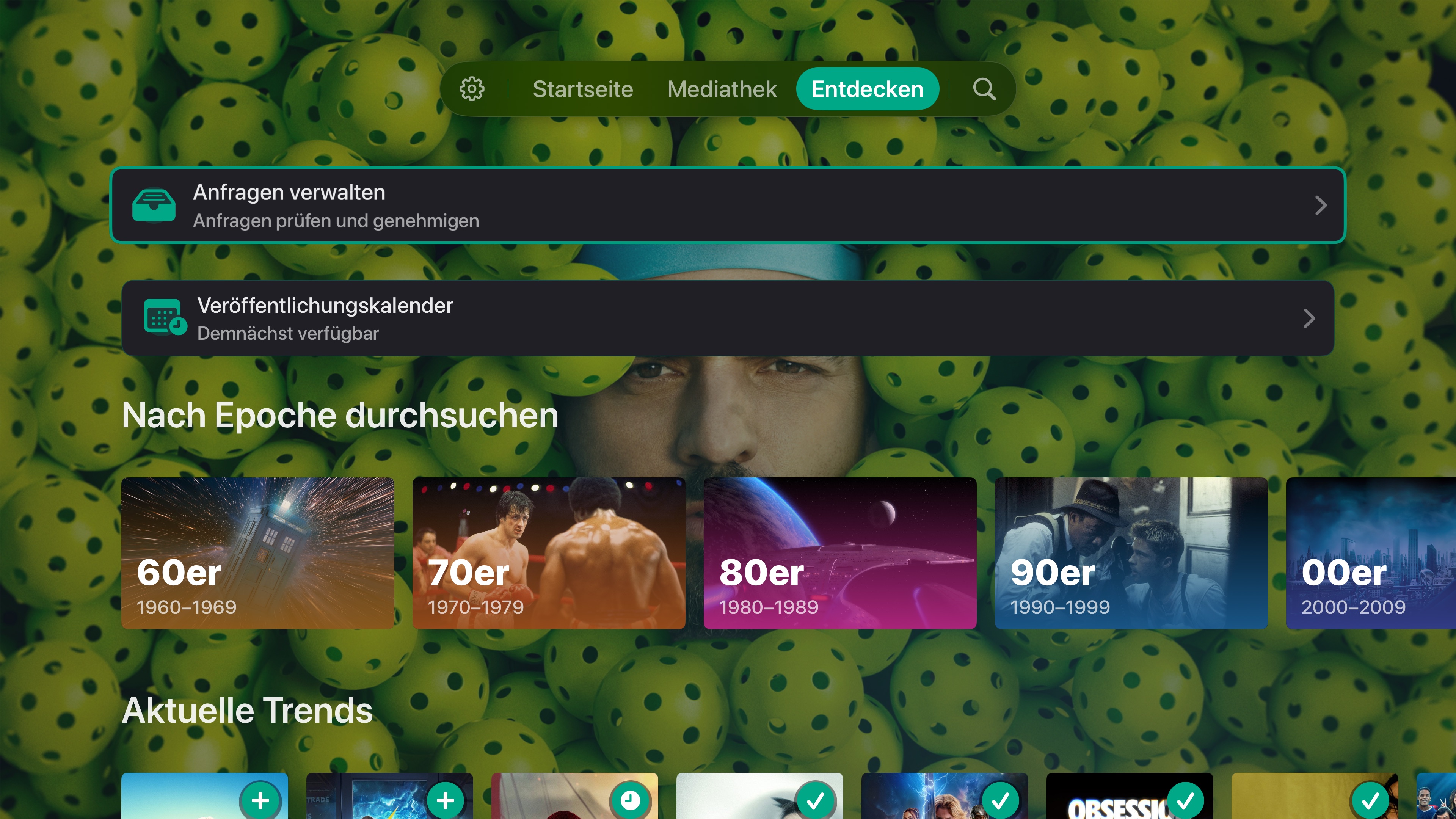
Adaptive Glass
Neptune’s adaptive theme engine already uses artwork to change the colors surrounding your content. Adaptive Glass brings that same system into buttons, menus, and other interface elements.
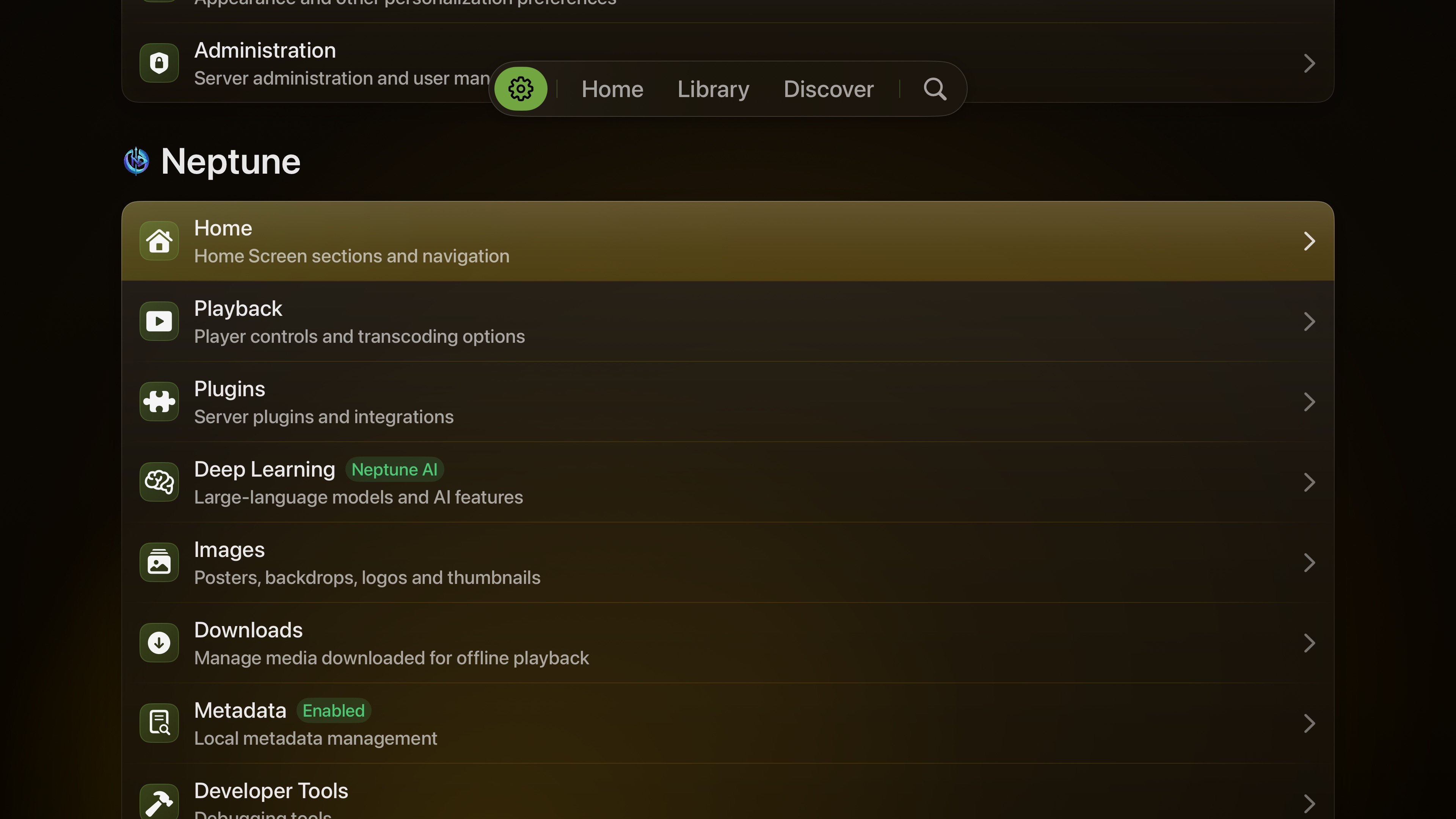
Rather than placing the same static surface over every page, Adaptive Glass combines the active theme with colors pulled from the current item. A blue adaptive color sitting over the purple tones of Nebula will blend the two together, while another title and another theme produce something entirely different. The glass is not simply transparent - it reacts to the content and relights itself as you move through the app.
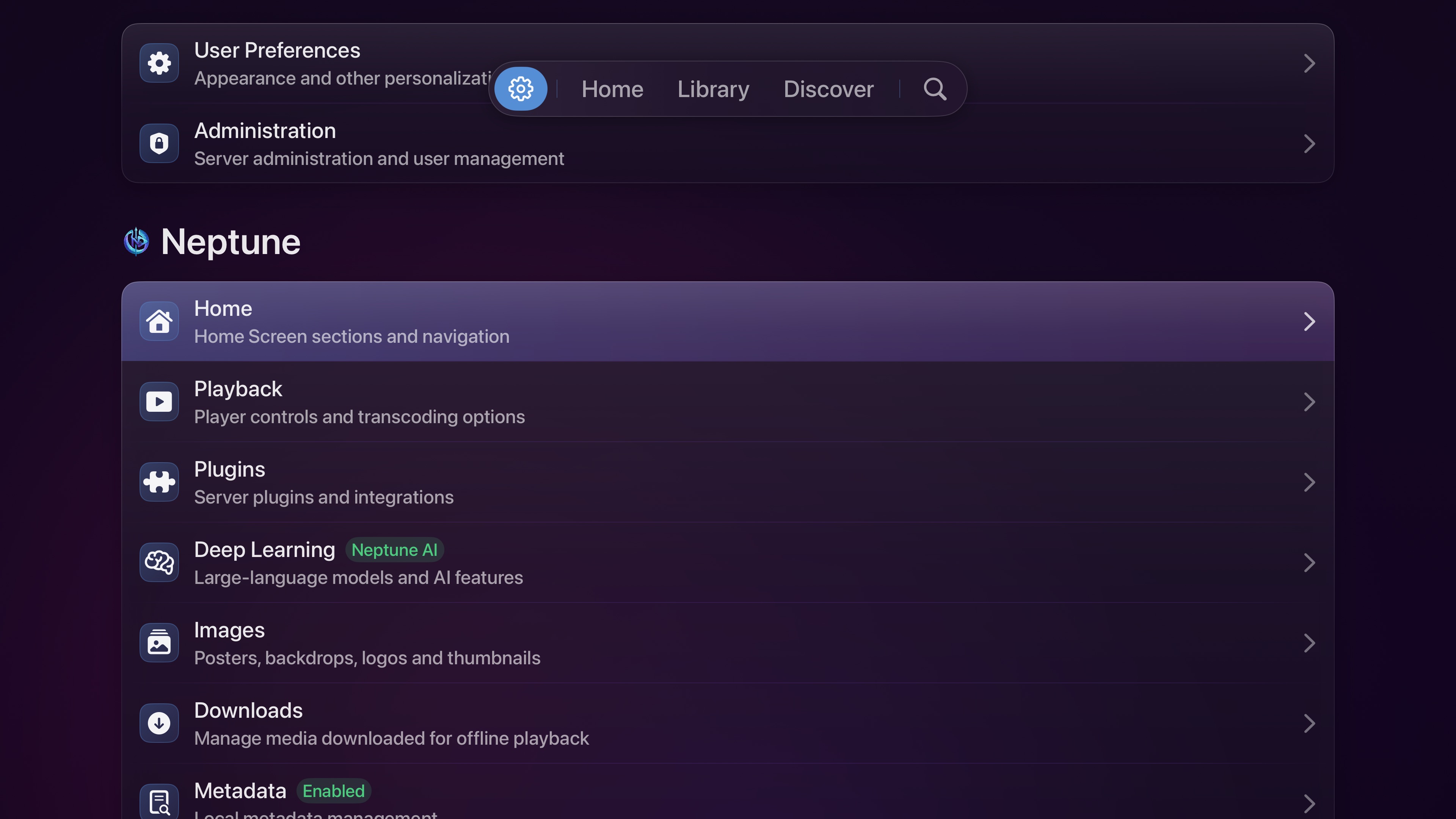
This allows menus to remain consistent with Neptune’s design language without looking identical everywhere they appear.
Music Videos
Music Videos now receive their own library experience. Although the files themselves are videos, a music library is not organized like a television series or movie collection. Artists and albums replace actors and seasons, with composers and other music-specific metadata requiring a different interface.
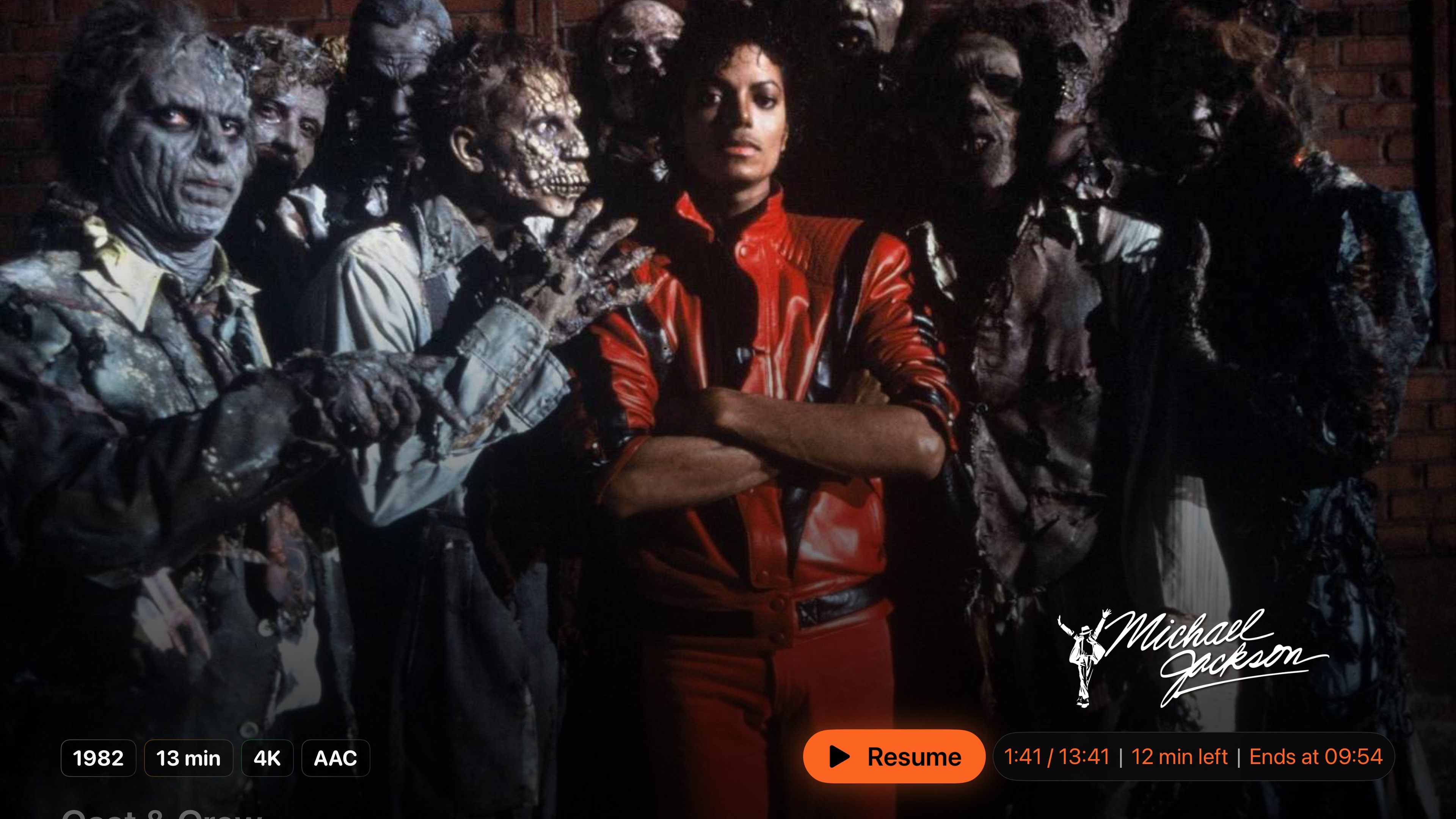
When a Jellyfin library is identified as Music Videos, Neptune now accounts for those differences and presents the content using a layout built around the way music is organized. Neptune’s Indexer plugin now also supports Music, so it can gather metadata about artists, directors, writers, choreographers and more.
Search that shows its work
Search has become better at explaining why a result belongs. When a contextual query returns something unexpected, hovering over the result can now reveal what matched - the plot, a location, a character, or another piece of metadata that connected the query to the title.
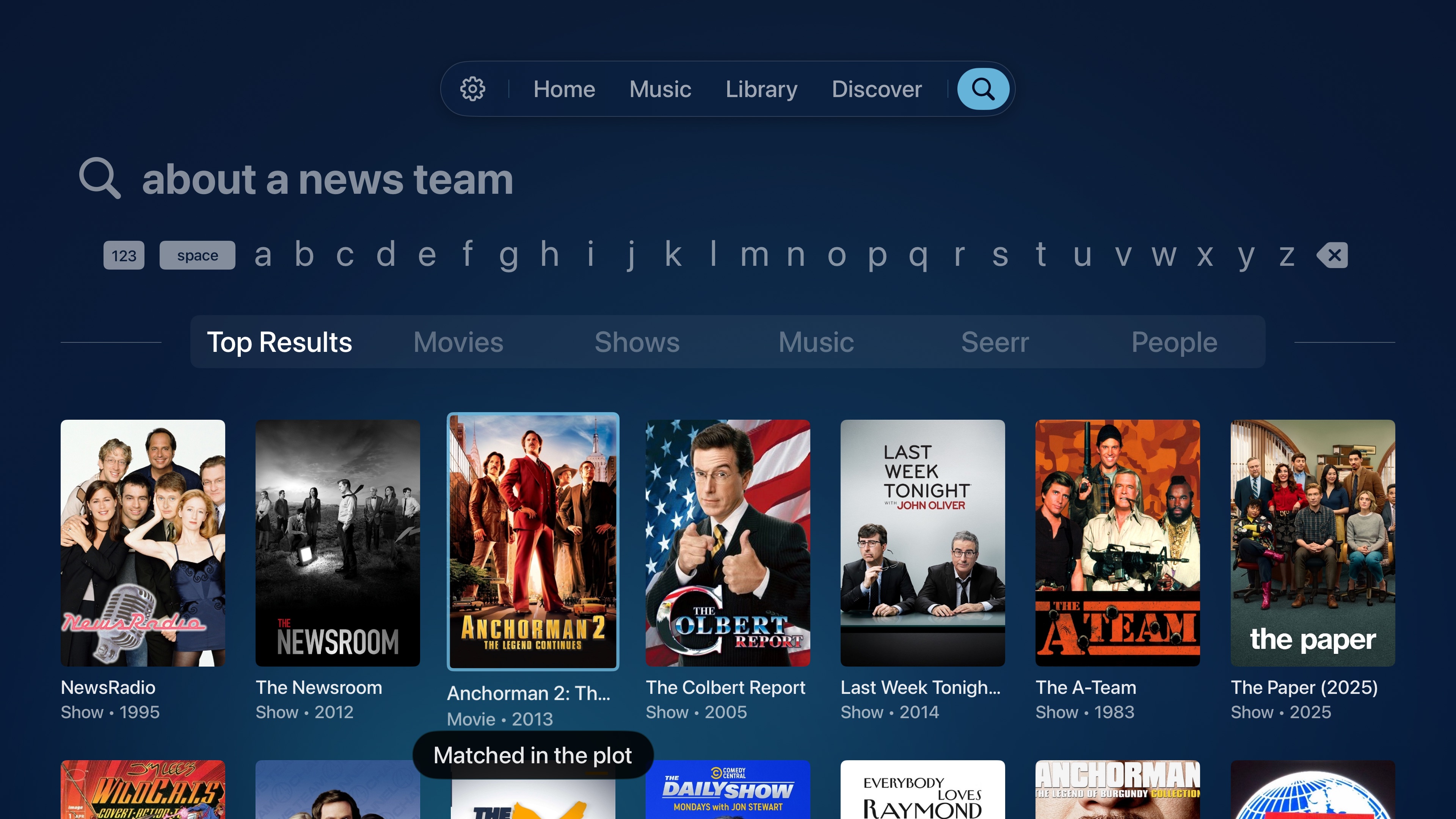
Search is only useful when its results make sense. Showing the context behind each match makes the system easier to trust, and occasionally explains why Neptune knows a little more about your library than you expected it to.
Episode Finder 2.0
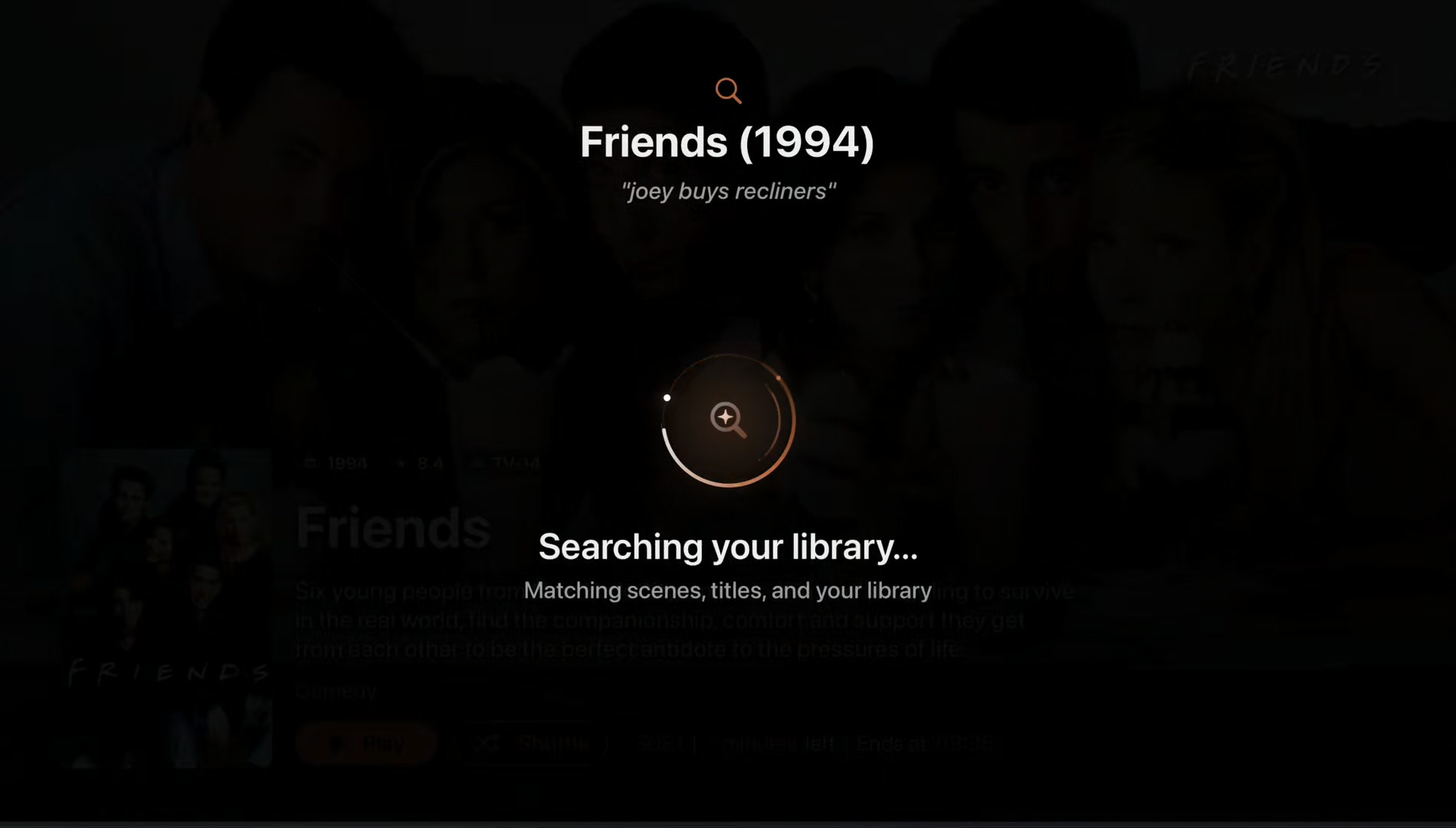
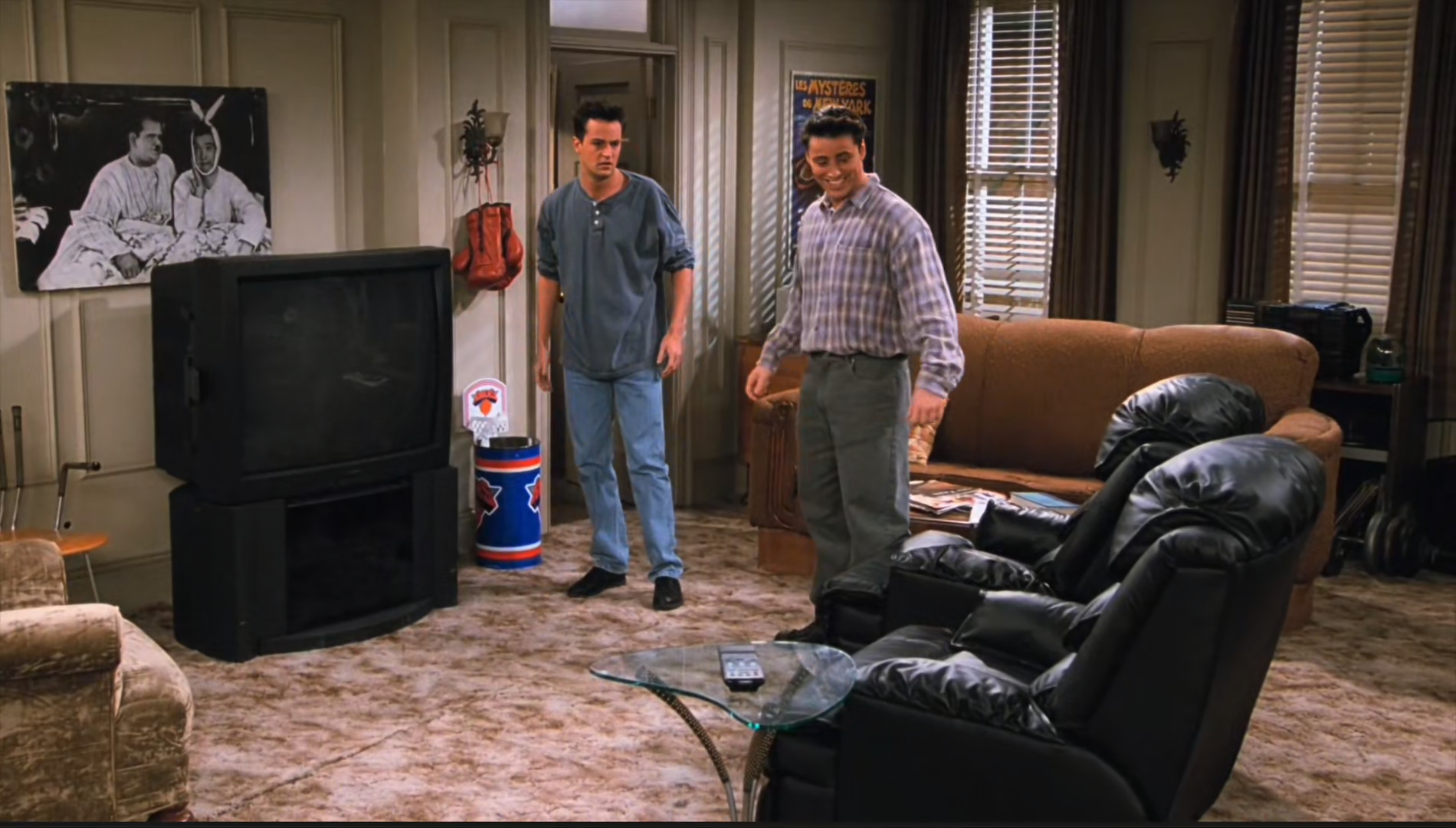
The new Episode Finder builds on the same system. Instead of remembering a season and episode number, you can search for the part you remember - something like ‘Joey buys recliners’ - and Neptune can take you directly to the relevant episode of Friends. The latest changes to the Episode Finder makes it faster, more accurate, and better at understanding the incomplete descriptions people tend to remember.
Better anime detection
Anime continues to prove that metadata is never as simple as it first appears. Some libraries label it correctly, while others omit the relevant genres or use metadata that makes reliable detection difficult. That creates a problem for features like Anime Mode, which need to know when a separate set of audio and subtitle rules should apply.
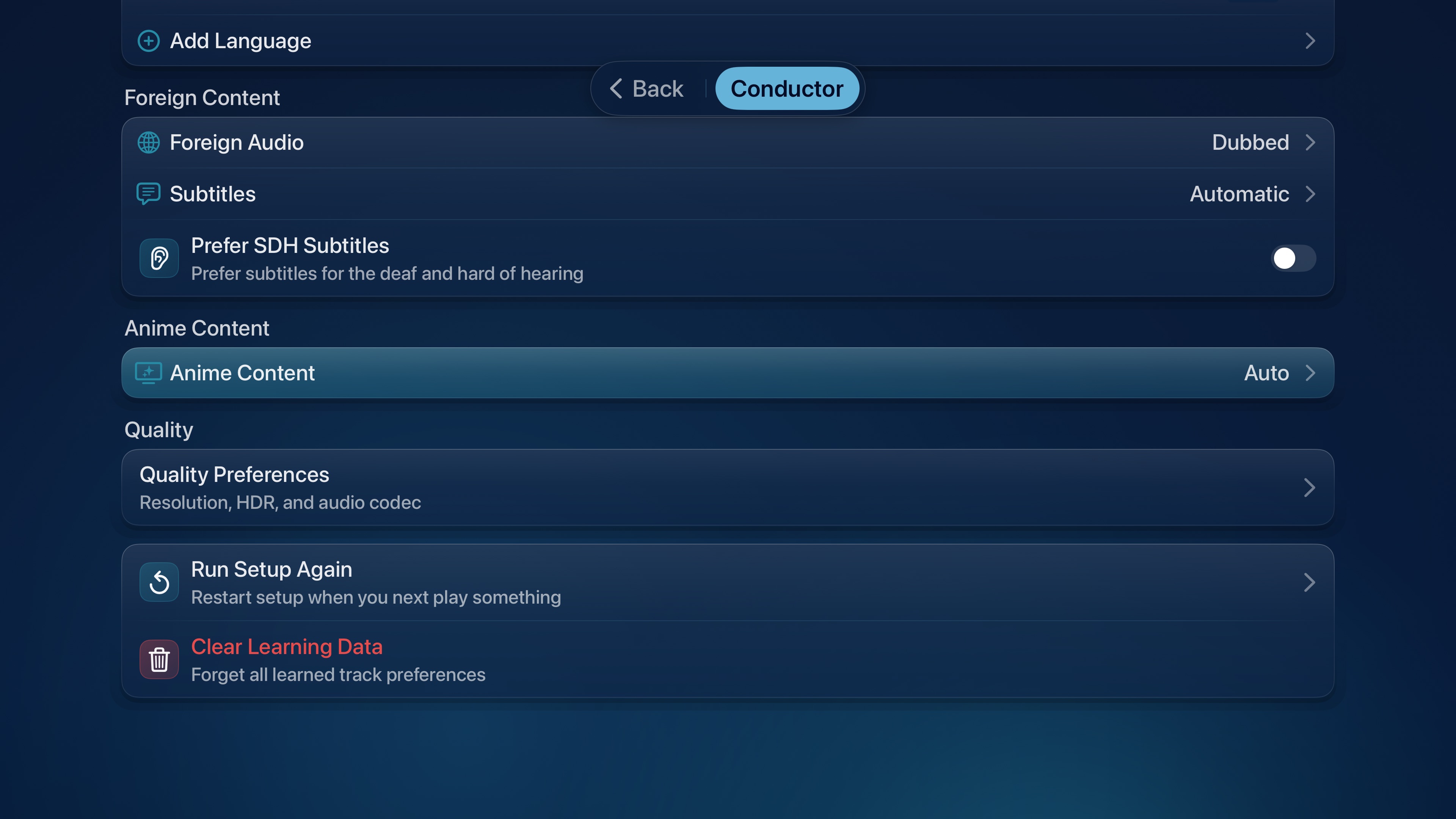
A new detection system was built by processing and identifying more than 20,000 anime entries, with the index continuing to grow. Neptune can use that data alongside the metadata supplied by Jellyfin, making Anime Mode considerably more reliable when deciding whether content should follow dubbed or subtitled preferences.
This also creates a stronger foundation for additional anime-specific behavior in future versions of Conductor.
Spoiler protection with more context
The existing Hide Spoilers option applies the same rule to every unwatched episode. That works well for a serialized drama, where one description can reveal an important development, but it becomes unnecessarily aggressive for an episodic show where each story stands on its own.
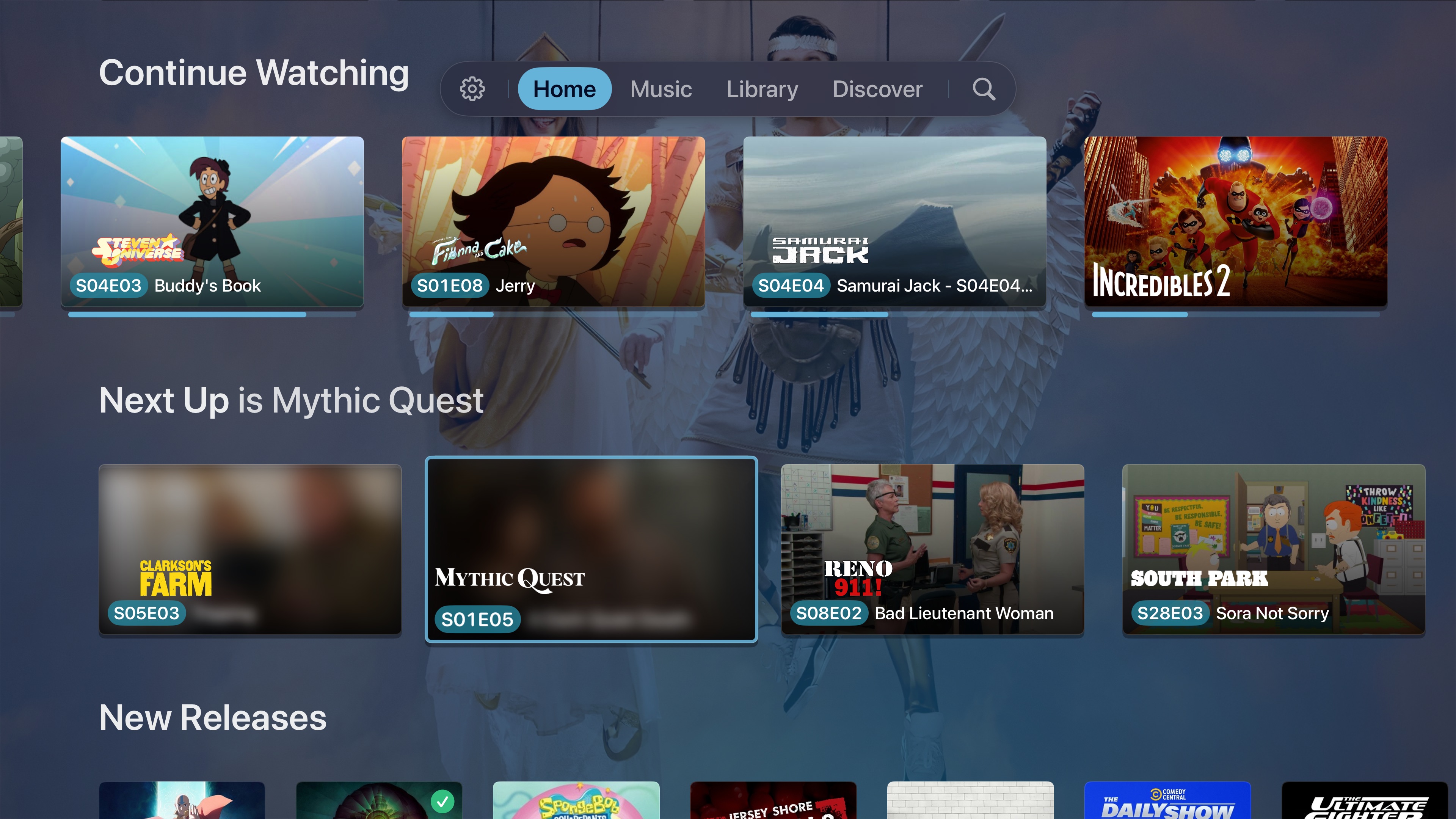
The updated Auto mode understands whether a series is serialized or episodic. Upcoming descriptions remain hidden when plot points carry between episodes, while content designed to be watched in almost any order can remain visible. Manual overrides are still available at the series level for anyone who wants to decide for themselves.
E-AC-3 Passthrough
Atmos Passthrough first appeared as an experimental option in Build 150. After additional work on timing, stability, and the wider playback path, E-AC-3 Atmos Passthrough is now production ready and will be enabled as a fully supported Trident feature.
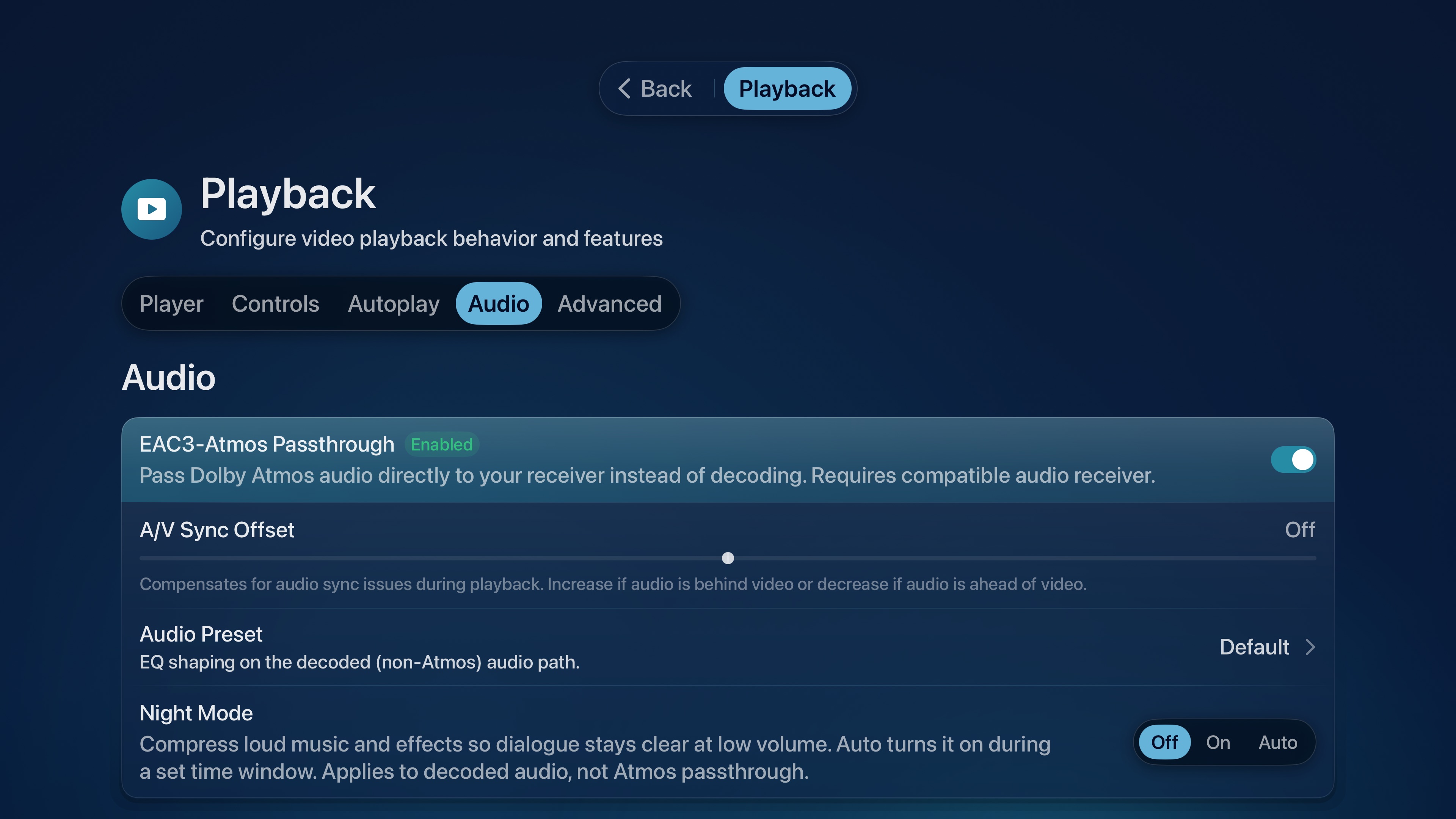
Passthrough may sound like the simple act of sending audio to a receiver, but every part of the pipeline has to preserve the correct stream, timing, and format along the way. The experimental release helped identify those edge cases; the new implementation is ready to move beyond testing.
Autoplay that waits for the right moment
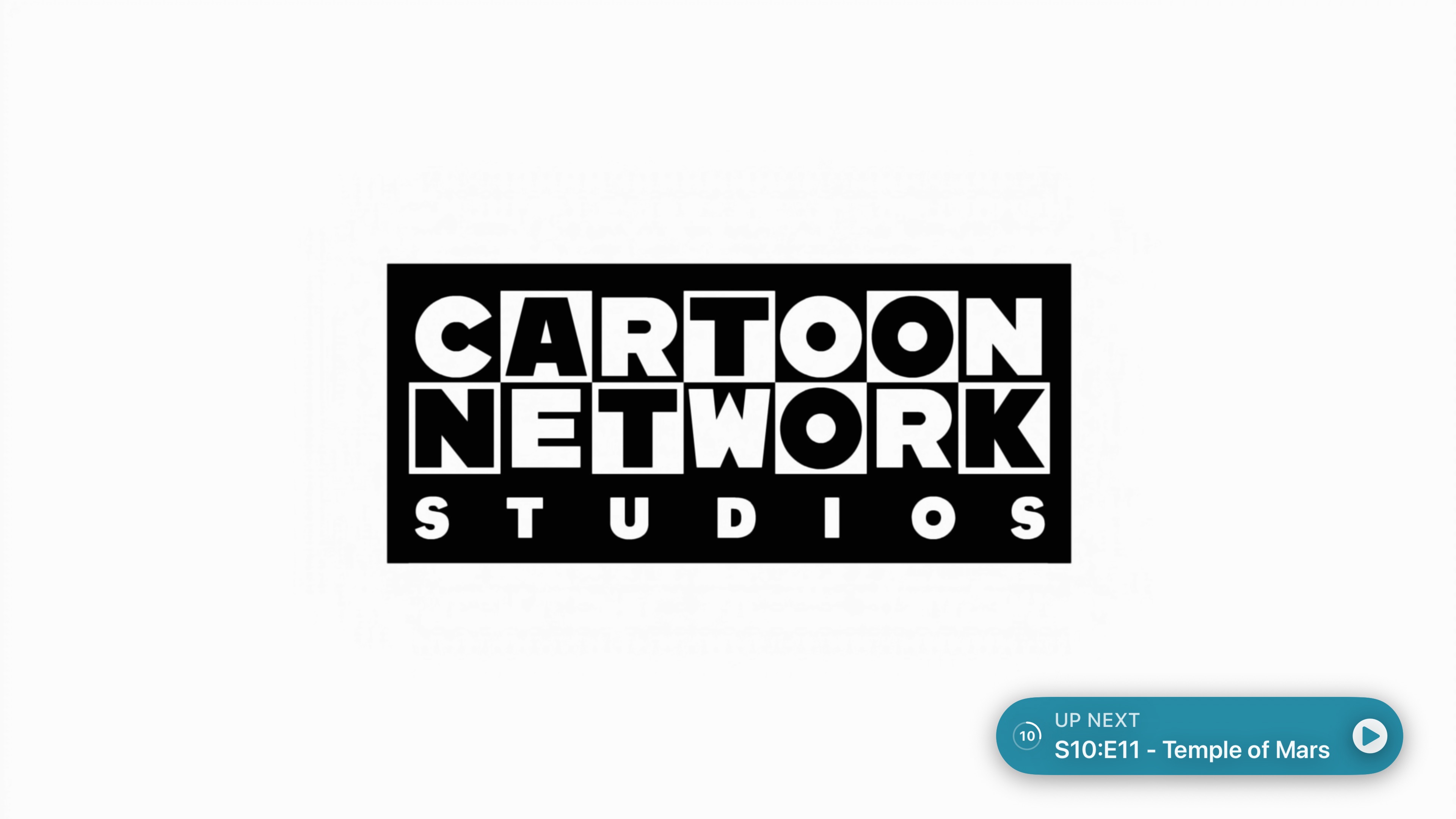
Autoplay is being rebuilt around two modes. Fixed begins the next episode after a delay chosen by the user. Auto looks at the end marker, determines how much of the credits remain, and runs the countdown for that duration instead.
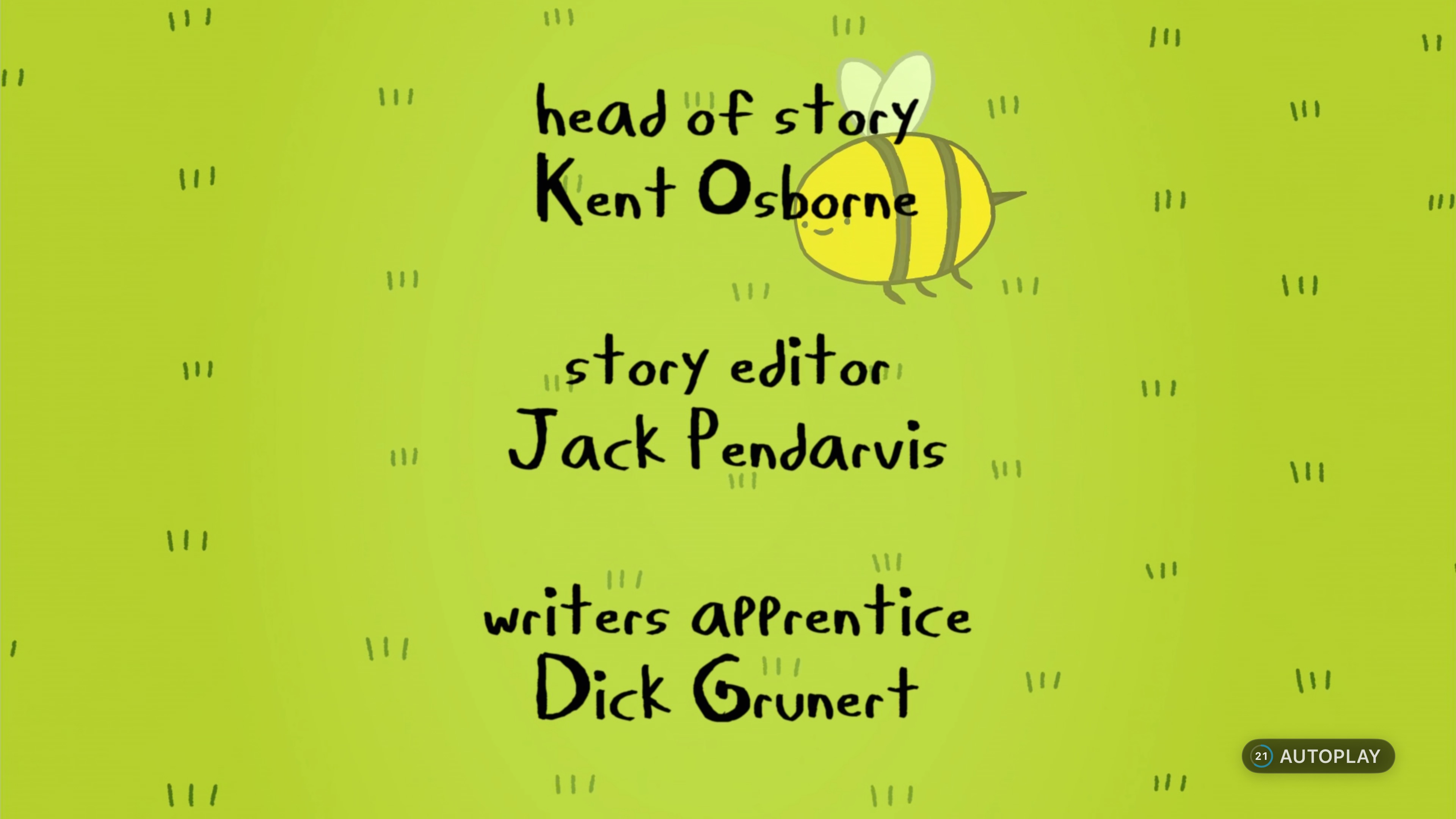
The prompt begins as a small bubble in the corner, then expands into the complete card as the transition approaches. Dismissing it no longer leaves Autoplay in an uncertain state, and the feature can use any existing Jellyfin media segment marker.
Downloads and Neptune Transcoder
Media Downloads bring offline playback to Neptune. Movies can be downloaded individually, while television content can be saved by episode, by season, or as an entire series. Download markers show how much of each season is stored locally, making it easy to see what will still be available after the server connection disappears.
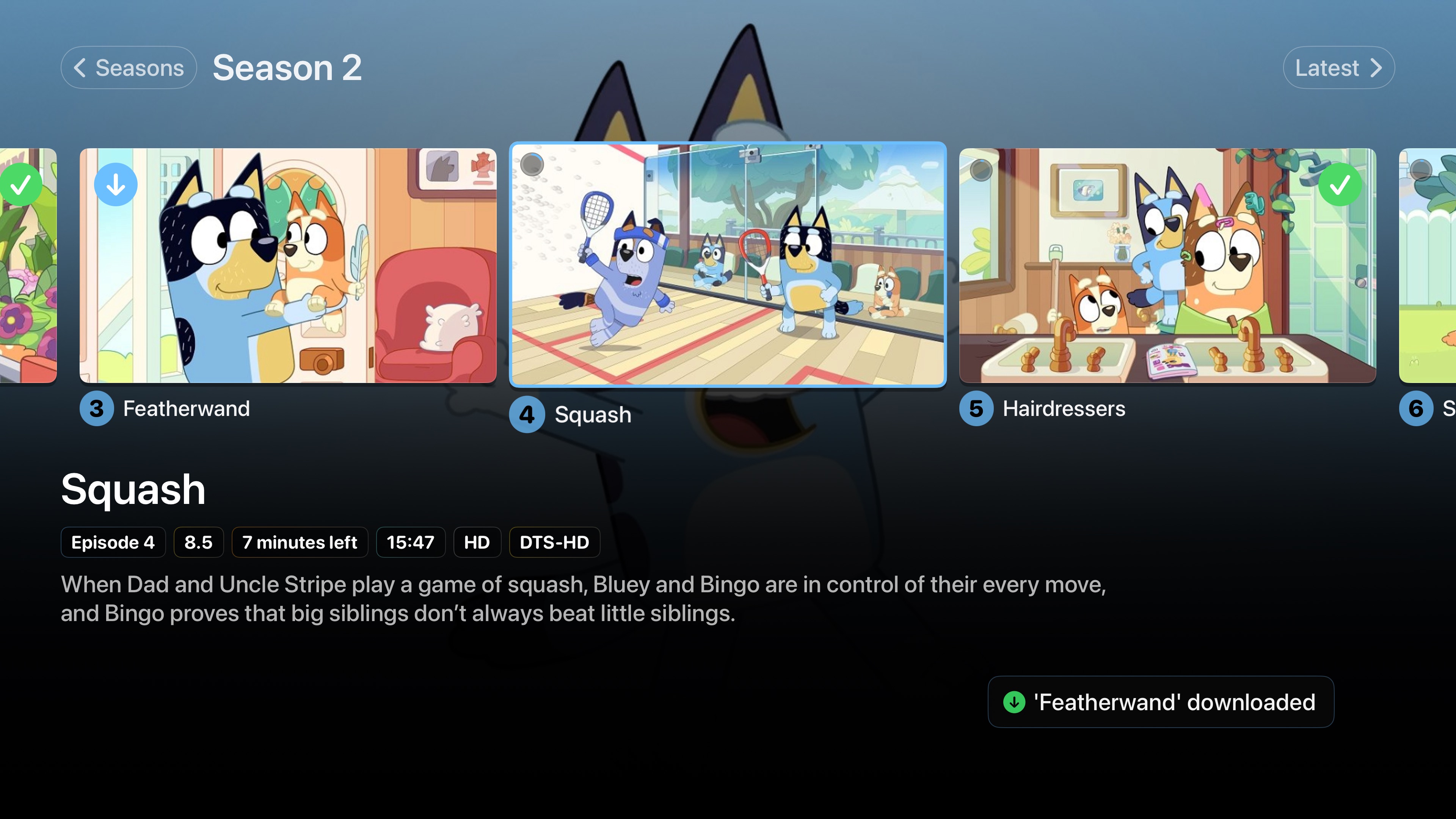
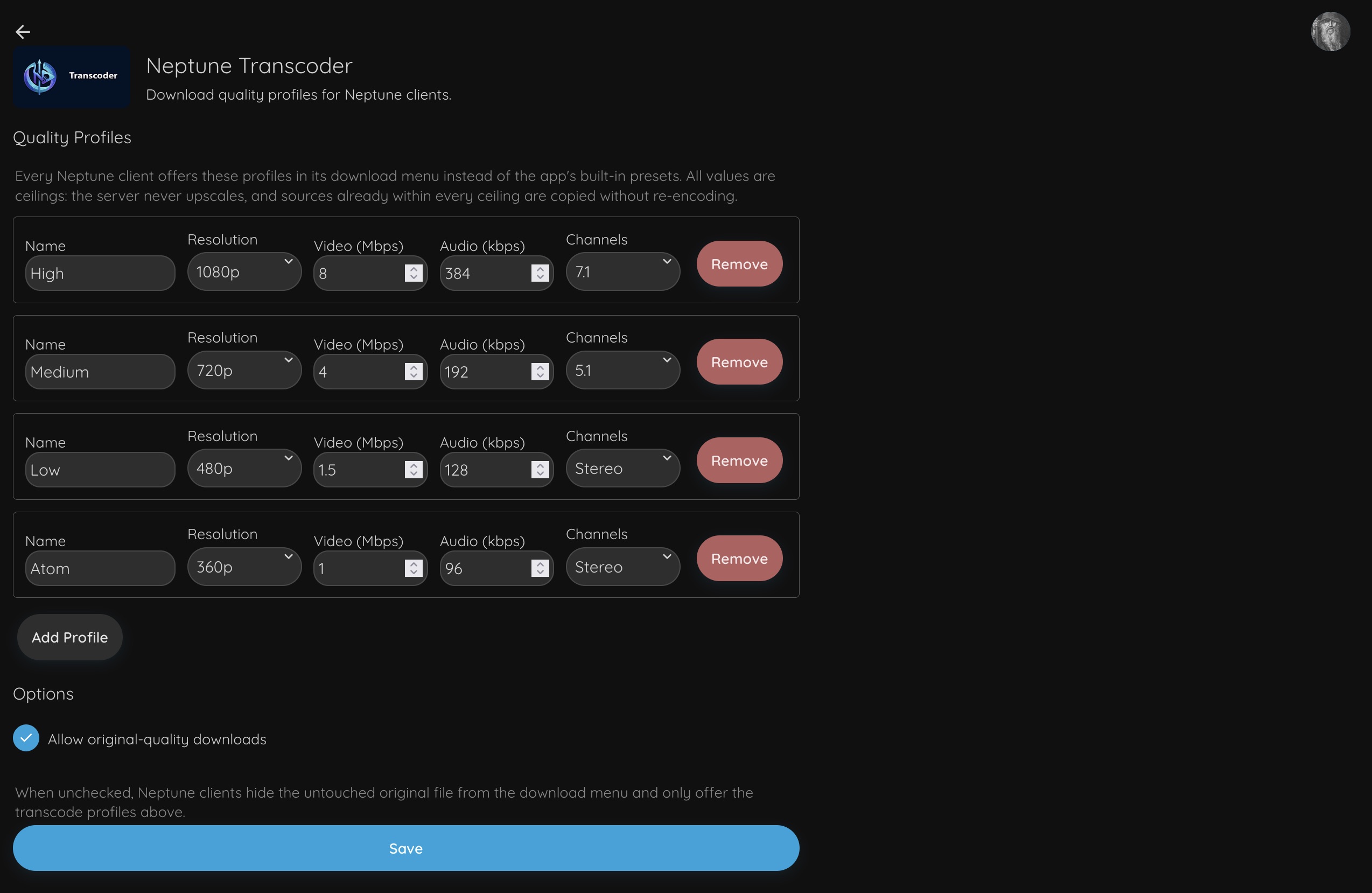
Files can be downloaded in their original quality or transcoded into a smaller copy. Neptune Transcoder, a new server-side plugin, allows administrators to create reusable targets for that process. Each preset can define its own resolution, video bitrate, audio bitrate, and channel count.
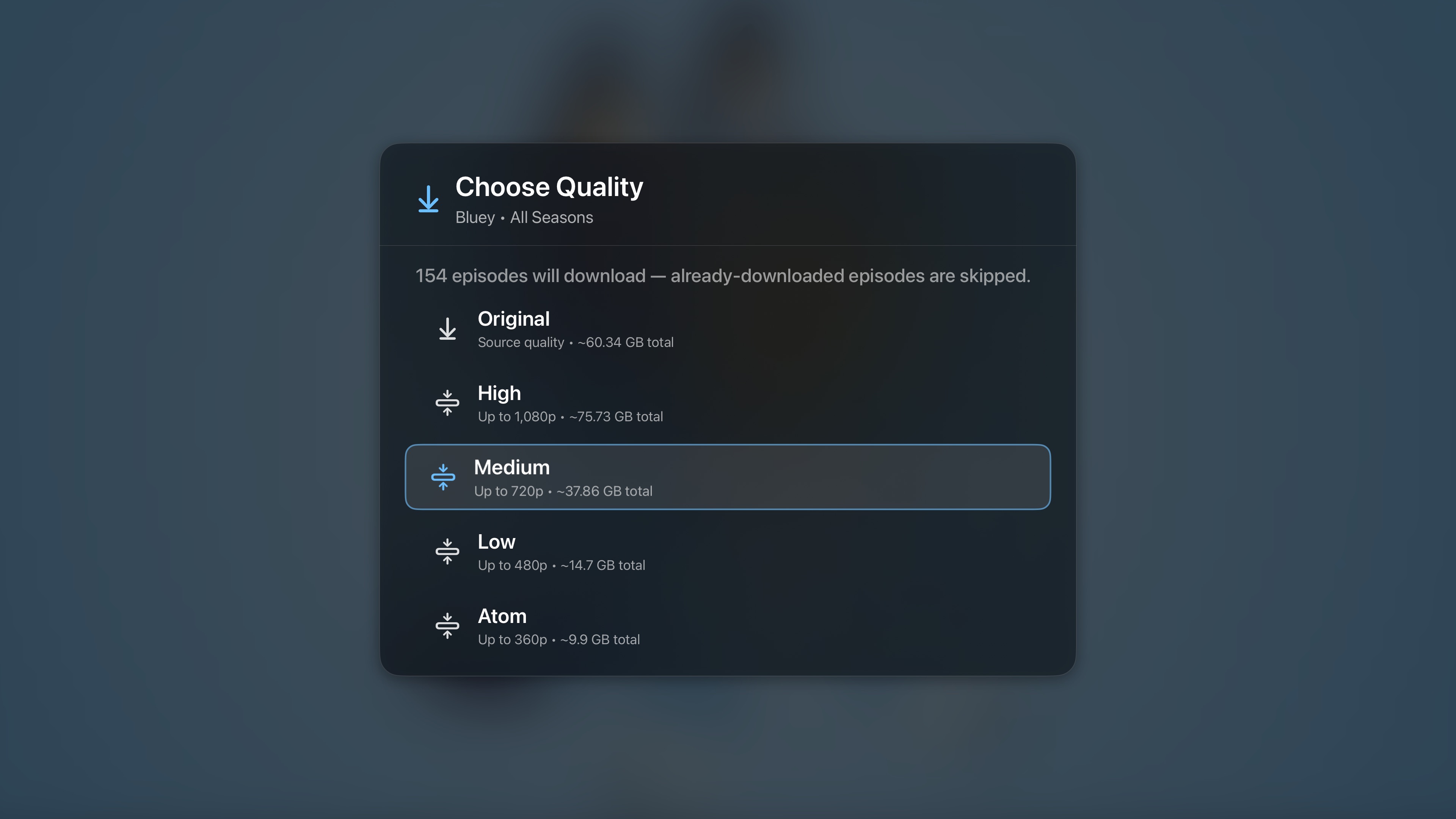
Those targets also integrate with Neptune’s Mobile Device Management plugin. Administrators can assign specific download profiles to individual users, limit someone to a particular quality, or prevent transcoded downloads entirely. The device handles the offline library; the server decides how each copy should be prepared.
Neptune for iOS
Neptune for iOS is much further along than a first TestFlight build would usually suggest. It shares the same service architecture, Trident Player, logging system, and the same settings model used on tvOS, allowing the mobile client to inherit all the work from tvOS while keeping its interface specific to iPhone and iPad.
The visual language remains familiar, but the interaction model follows the platform. Focus navigation gives way to touch, layouts are designed around portrait browsing, and playback accounts for battery use, thermals, rotation, and the interruptions that come with a mobile device.
A few of the features demonstrated during the event include:
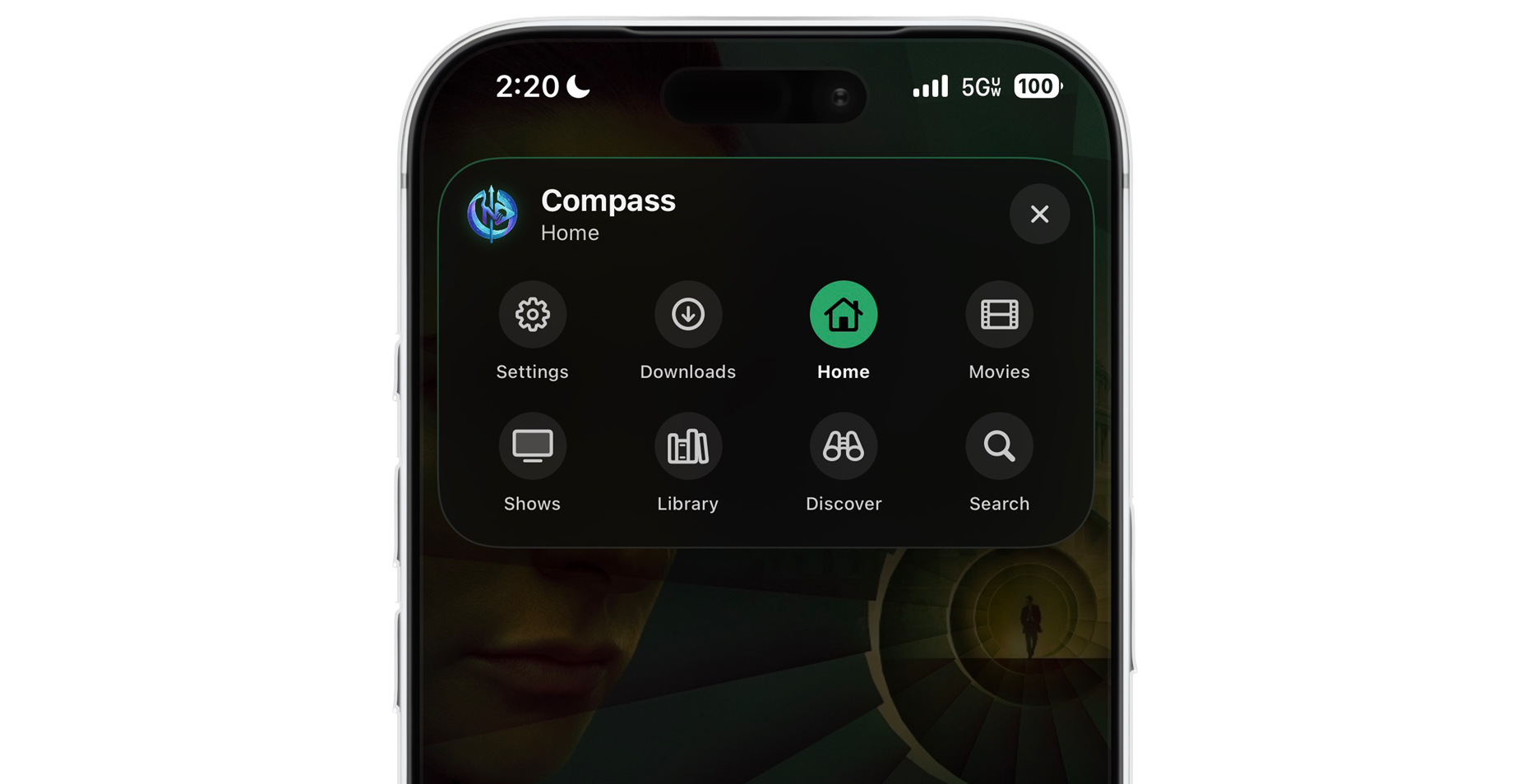
- Compass. Holding two fingers on the screen opens a customizable shortcut menu from anywhere in the app. A Compass action can open a page, library, collection, saved Search, movie, show, or episode - and it can be programmed to begin playback instead of only opening the item.
-
Mobile Device Management. After connecting to a server, Neptune can detect an existing profile backup and restore supported settings, layouts, themes, and Conductor data. Changes can synchronize between Apple TV and iPhone in real time.
-
System playback features. Background audio, Picture in Picture, Live Activities, and Dynamic Island shortcuts are all supported. Video can begin in portrait, then move into landscape when the phone is rotated.
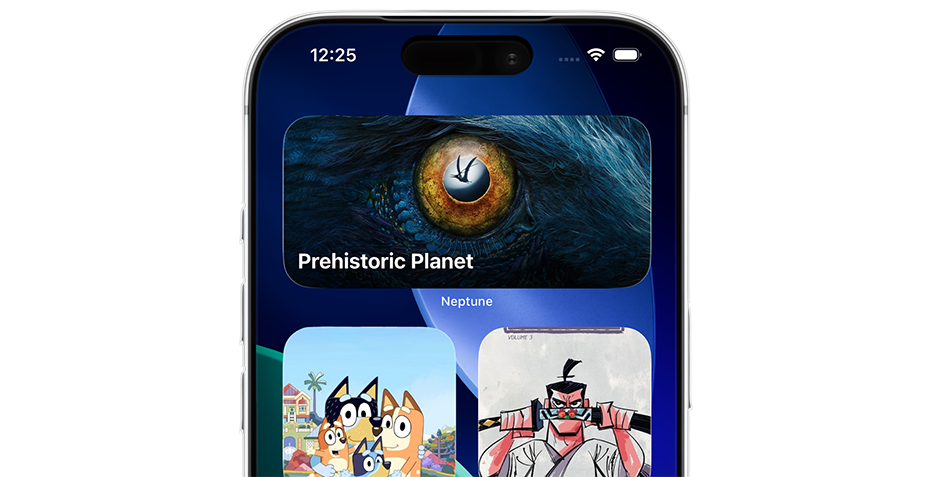
- Widgets. Pages, individual titles, Pins, and dynamic sections can live on the Home Screen or Lock Screen. A widget can open its destination, begin playback, or resume something already in progress. Larger widgets adapt their artwork as they are resized and can contain multiple browsable sections.
Pricing
The first Neptune Live established that Neptune’s base price would be free, with a paid tier offered to Pro users to help cover features that carry recurring licensing, commercial API, or infrastructure costs. This month brought a clearer definition of what features are only available to Pro users and what features remain free.
Playback will be completely free for everyone
Playback provided by Trident will be available without Neptune Pro. That includes every supported container, codec, and format.
Making features free for users do not make them free to provide, but it keeps the most important part of a media player available to everyone. Neptune Pro will help subsidize that cost through advanced additions to existing features.
The previously announced pricing remains unchanged:
- Monthly: $1.99
- Yearly: $16.99
- Lifetime: $129.99
Prices are listed in USD. Currency conversion is handled by Apple’s backend, so your actual pricing table may look different based on your location.
Neptune Pro currently includes the following:
- Conductor Pro. Conductor is how Neptune automates track and quality decisions. The base version of Conductor applies the audio and subtitle rules you configure through its preferences. Conductor Pro enables the learning engine, allowing it to recognize the exceptions you make and adapt future playback around them simply by observing your choices, without ever having to touch the settings, and applies them across your movies and shows automagically.
- Neptune AI. You can connect Neptune to your own Ollama server or another supported provider without subscribing to Pro. Access to Neptune’s hosted, media-specific model is included with Pro because its training and infrastructure carry an ongoing cost. Neptune AI currently powers natural-language Search, Episode Finder, Title Insights, and Person Insights, with a first-party foundation that can expand into other parts of Neptune. This bespoke first-party service is trained and tuned specifically for Neptune’s media workflows and structured feature behavior.
- TMDB data. Trailers, expanded cast and crew information, upcoming episode dates, and other supplemental details fetched through TMDB use Neptune’s commercial API access and are included with Pro.
- Offline Downloads. Streaming and playback remain free. Saving media locally, including the download and transcoding workflow for offline viewing, is included with Pro.
- Top Shelf Pro. Standard Top Shelf and its content controls remain free. Custom artwork, visual templates, and the deeper personalization provided by Neptune Studio are included with Pro.
New features may join Neptune Pro as the project grows, but the goal remains the same: provide a complete base experience, then use Pro to extend it and cover the costs that allow the rest of Neptune to remain free.
A Neptune Pro purchase applies across supported platforms. Buying it on tvOS also unlocks it on iOS and future Neptune clients, with Family Sharing extending access to members of the same iCloud family. Lifetime purchasers will also be promoted to the Pilot program, receiving access to private nightly builds once the infrastructure for that program is ready.
One More Thing
Immediately following the App Store announcement, Neptune for iOS and iPadOS began their first TestFlight. Existing eligible testers should see the iOS version through the same TestFlight access already associated with their account, without needing to repeat the invitation process.
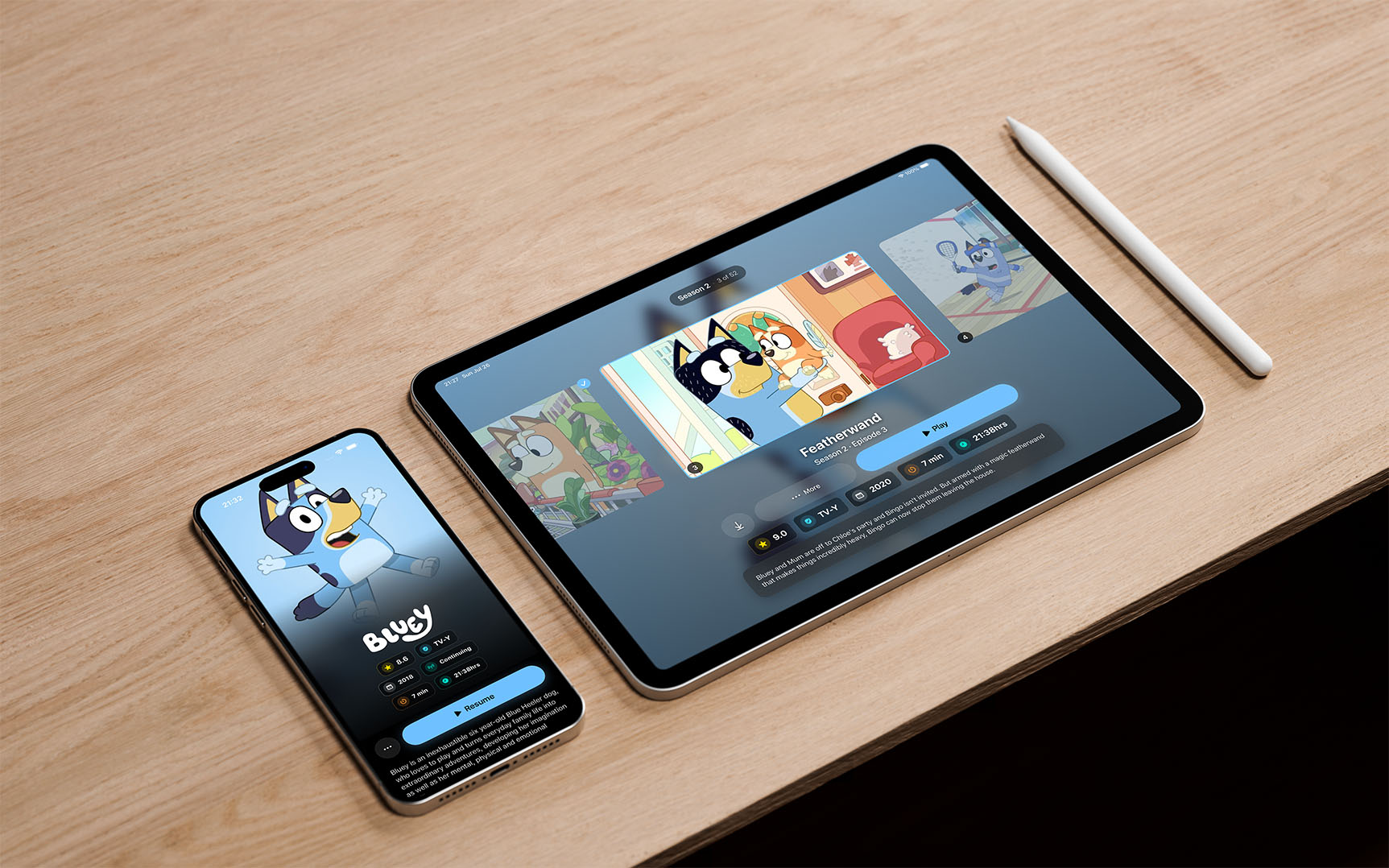
Some iPad layouts are still being refined, and this is only the first public version of the mobile interface - which also means it is the least polished Neptune for iOS will ever be.
TestFlight purchases use Apple’s sandbox environment and do not charge testers, allowing the complete Pro experience to be tested while the app remains in beta.
Neptune Documentation
Neptune’s official documentation is now live at docs.neptuneplayer.com.
The documentation currently spans more than a hundred pages, covering Neptune’s features, interface, playback, controls, plugins, troubleshooting, and the logic behind Neptune’s many systems. It also includes a built-in Search, making it easier to find one setting without reading all pages - unless that is how you prefer to spend your evening.
This is a living document and will continue to change alongside Neptune. If something appears outdated or incomplete, please let us know.
On the Horizon
Work is already underway on more granular settings synchronization, additional Home Screen customization, and more. Additional backends remain in development, with both Emby and Plex support, along with bugfixes and optimizations for existing platforms.
Watch Party features are also being developed, including local playback synchronization between Neptune devices on the same network, even when no internet connection is available. Live TV remains an area of interest, although there is nothing ready to announce yet.
Bug fixes and App Store updates will continue as per usual, while Neptune for iOS begins the same public testing process that shaped tvOS over the last six months. Thank you to everyone who joined the event, everyone who helped keep the community running, and everyone whose testing brought Neptune to release.
If you download Neptune from the App Store, please consider leaving a review. It helps more people discover the project and supports everything still to come.
The next Neptune Live will be announced through our community channels.