
Update
Neptune: 1.4 - Update 1
Custom Spotlight behavior, greater control over what is shown from libraries, Seerr access control, playback improvements, and more.

Seerr
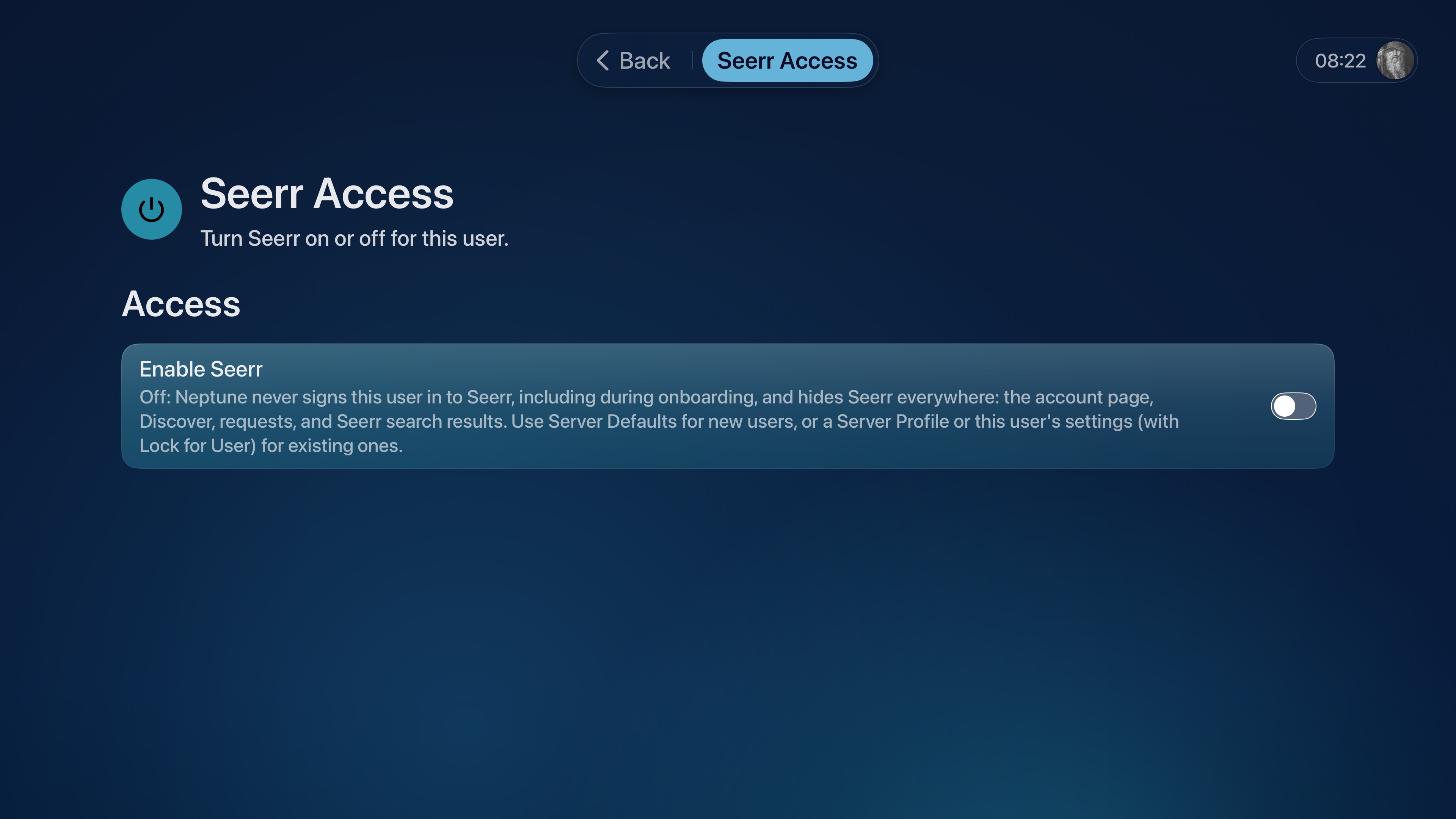
You can now manage who can access Seerr through Neptune. Turn off Seerr for individual accounts, create device-specific access rules through Server Profiles, or set the default for new accounts with Server Defaults using Neptune MDM.
When Seerr is turned off, Neptune skips its sign-in during setup and hides Discover, requests, and other Seerr features for that account.
Customize Spotlight
You can now control what content Spotlight shows on your Home Screen and prioritize the content that matters most to you. If new episodes of an ongoing series mean more to you than new film releases, simply adjust Spotlight’s display order to fit your needs.
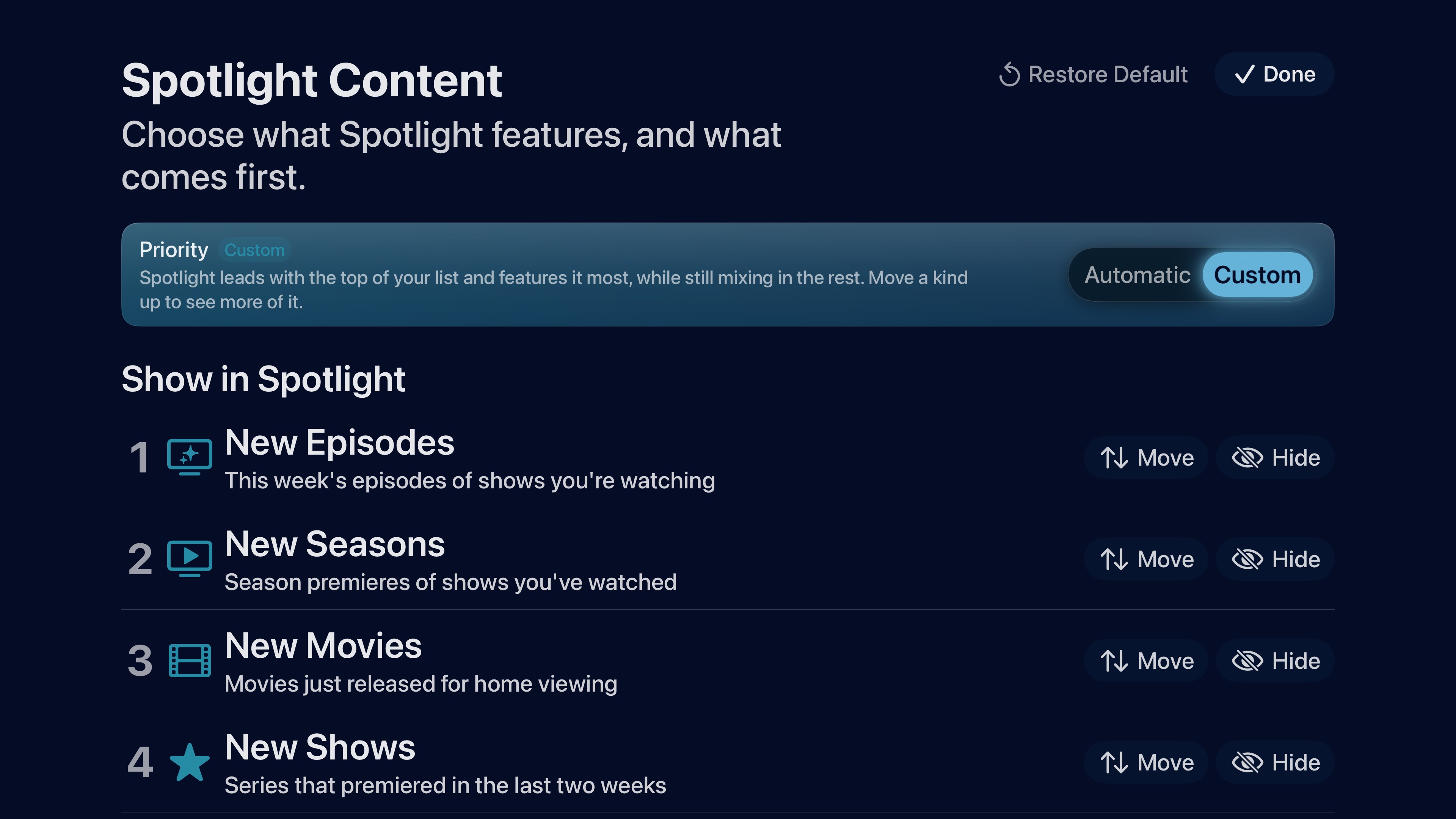
Choose from New Episodes, New Seasons, New Movies, New Shows, Continue Watching, and Recently Added. Keep the Automatic order or create your own under Settings → Home → Spotlight → Spotlight Content.
Choose Your Libraries
You can now choose which libraries appear in Neptune and where their content shows up. Turn a library off to hide its titles throughout Neptune, or keep it available while leaving it out of individual sections like Spotlight, Continue Watching, Recently Added, or Search. Titles shared with another enabled library stay visible.
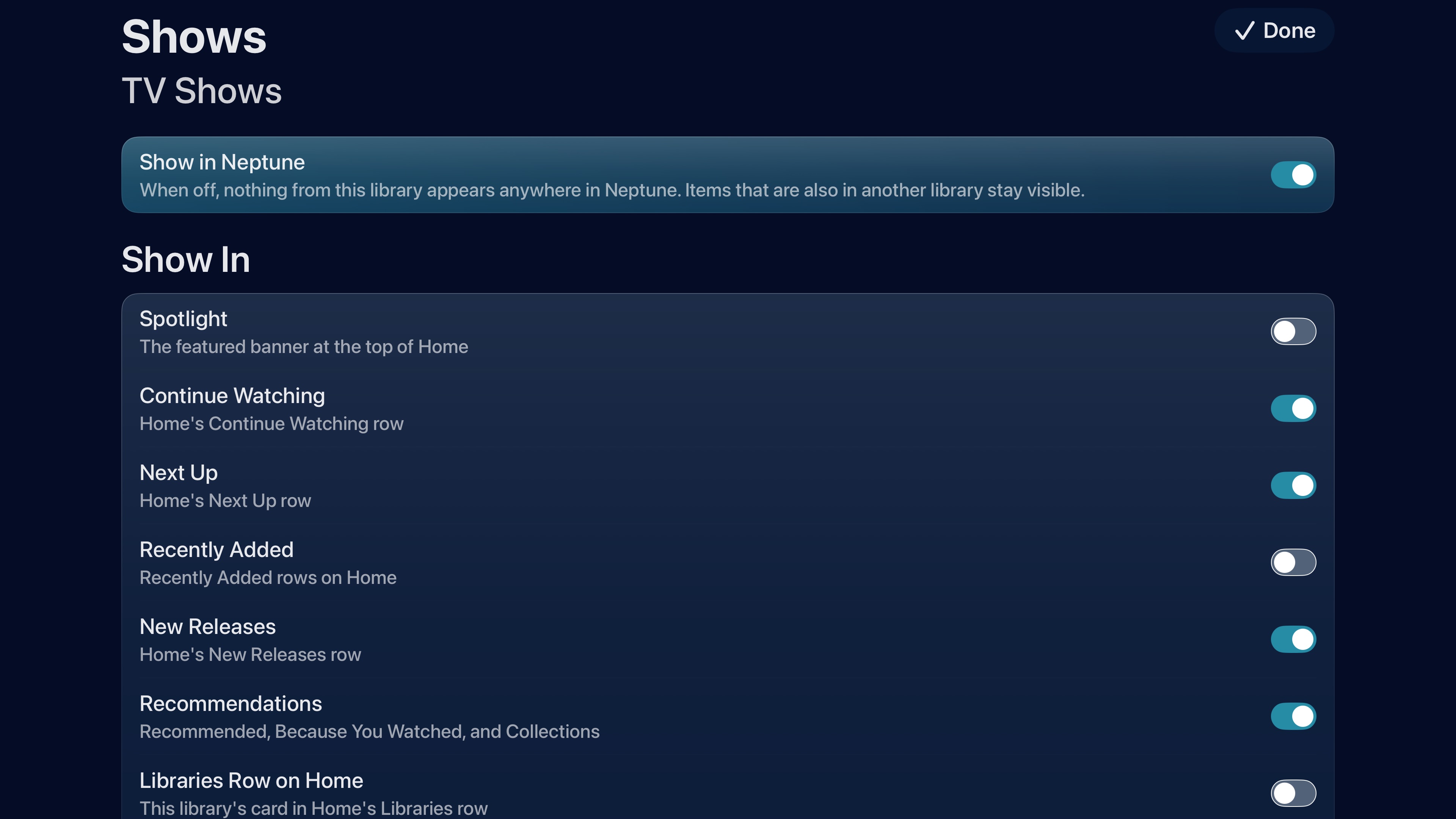
Find these controls under Settings → Home → Library → Libraries on Apple TV, iPhone, and iPad. Neptune MDM administrators can also manage library visibility for individual accounts.
Update: There’s a UI bug that prevents this menu for showing if the libraries row is hidden from the Home Screen. This will be fixed in an upcoming release.
Connect From Anywhere
Your server might have a home address, a Tailscale address, and a web address. Neptune now switches between them automatically.
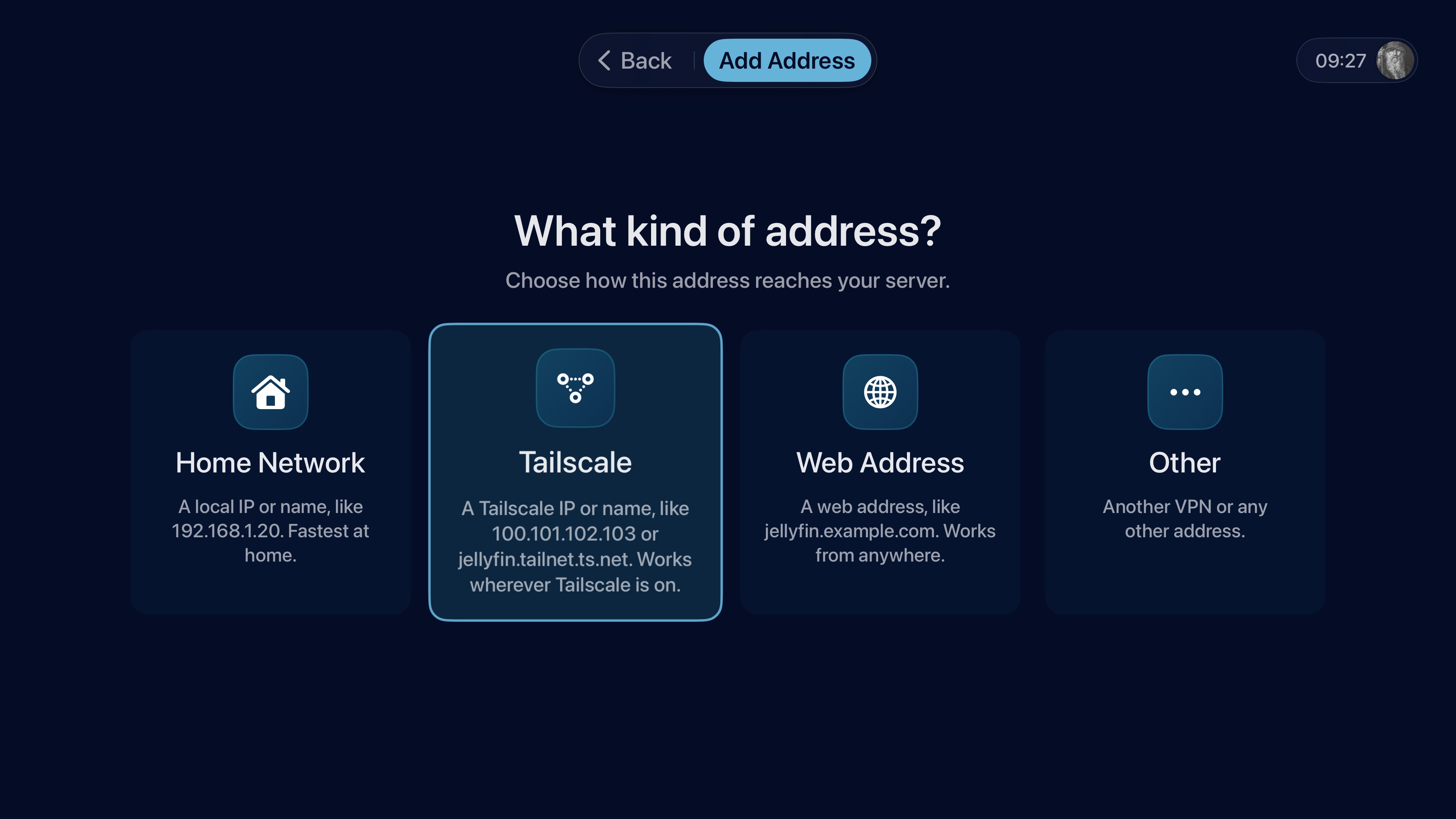
Keep your addresses in priority order and Neptune uses the first one that can reach your server. Leave home and it can switch to your remote connection. Come back and it returns to your preferred address when it’s available again. Neptune checks that each address belongs to the same server before using it.
Manage addresses under Settings → your account → Servers on Apple TV, iPhone, and iPad. You can see which address is in use, check availability and response times, and change their order. Each account keeps its own address list. You can also benchmark your various connections against each other to evaluate their performance via Settings → Diagnostics → Network Speed Test.
Conductor
Conductor is better at recognizing languages, subtitle types, and audio formats, so its automatic choices more closely match your preferences. It also remembers which kind of track you chose when several tracks share the same language, helping your choice carry across episodes.
Version recommendations, detail-page quality badges, and downloads now follow Conductor’s version choice more consistently. Apple TV and iPhone/iPad also learn picture-quality preferences separately, so choosing a smaller version on your phone doesn’t change what you prefer on the big screen.
Playback
Stability improvements on both tvOS and iOS, fixing stuttering playback when playing certain codecs.