
Release
Neptune: Version 1.2
Neptune Version 1.2 adds profile-based MDM controls, Language Rules, Diagnostics tools, synced Pins, selective downloads, and a broad set of playback and stability improvements across iOS and tvOS.

One MDM to Rule Them All
Neptune’s MDM suite receives a visual overhaul and grows more powerful than ever with the addition of Server Profiles. These profiles allow administrators the ability to create fully-configurable, reusable profiles and apply them to their users.
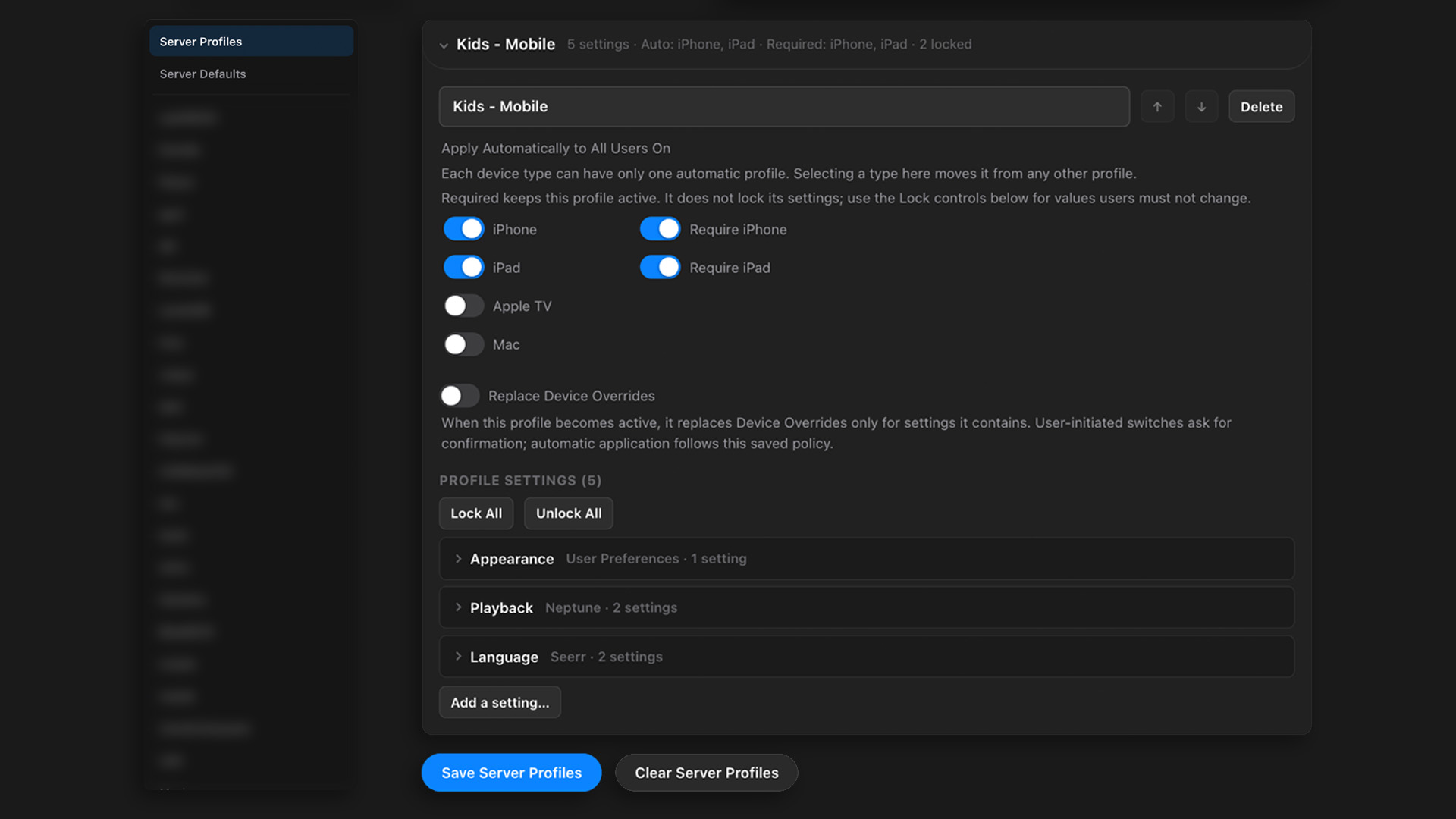
Server Profiles can also be applied automatically based on certain conditions, such as device types. This lets you create specific profiles for mobile devices and have it automatically apply for all of your users on mobile without changing their experience on other devices. Profiles are reusable, so you can add/remove profiles from users at any time - and even lock certain features so that they cannot be altered.
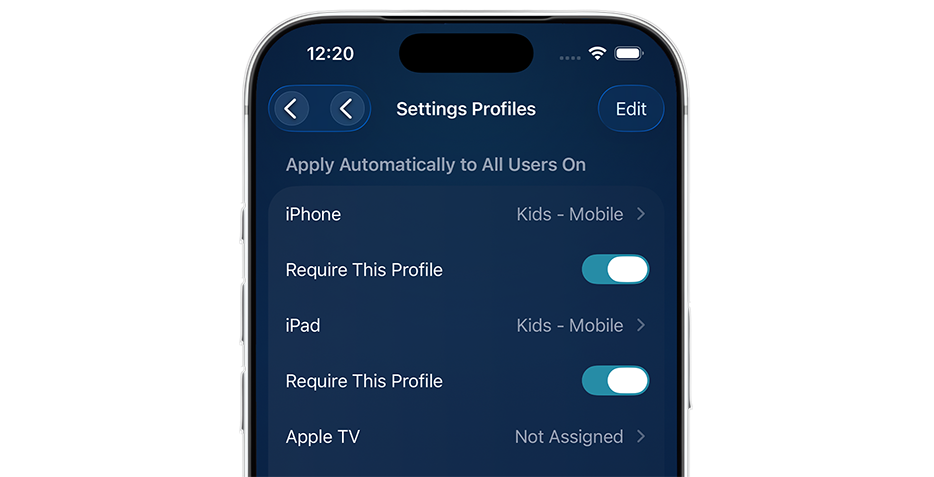
Every option from the MDM suite, including the ability to create, modify and assign Server Profiles is also available to Pro users across every Neptune client. This makes it easier than ever to manage your server’s user experience, while also providing support to those who need it the most.
Language Rules
Create custom rules that specify which subtitles Neptune should select based on the audio language. Rules can also be region-specific, working alongside Conductor, ensuring the correct language is selected whenever available.
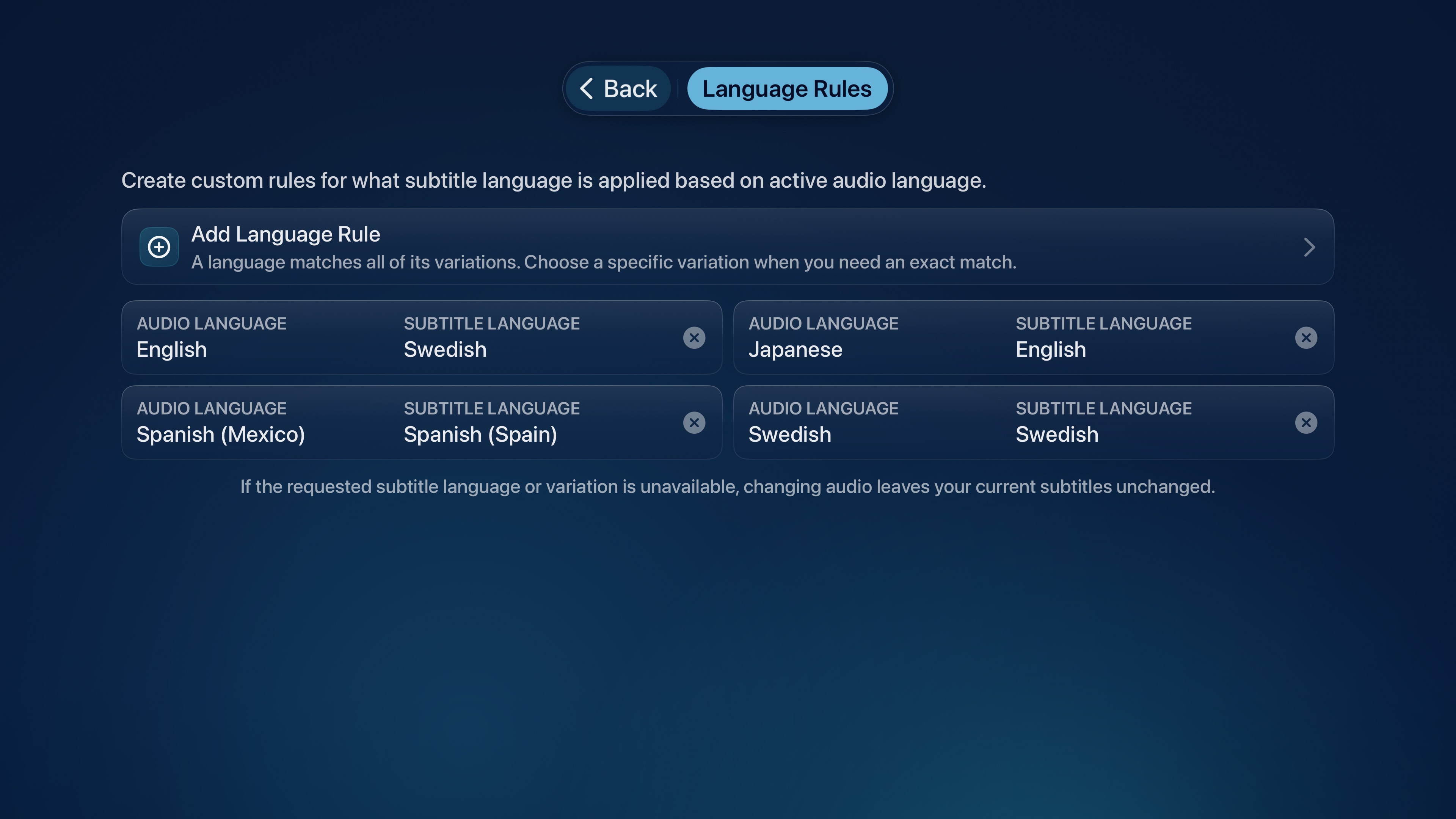
For Pro users, Language Rules leverage Conductor Pro’s learning engine, allowing rules to apply mid-playback as you switch tracks. So if you have a rule specified for a certain language, that rule engages automatically whenever you switch to that language during playback.
Diagnostics
Neptune now includes a new suite of Diagnostics tools that provide useful information for when a problem needs investigating.
Network Tests
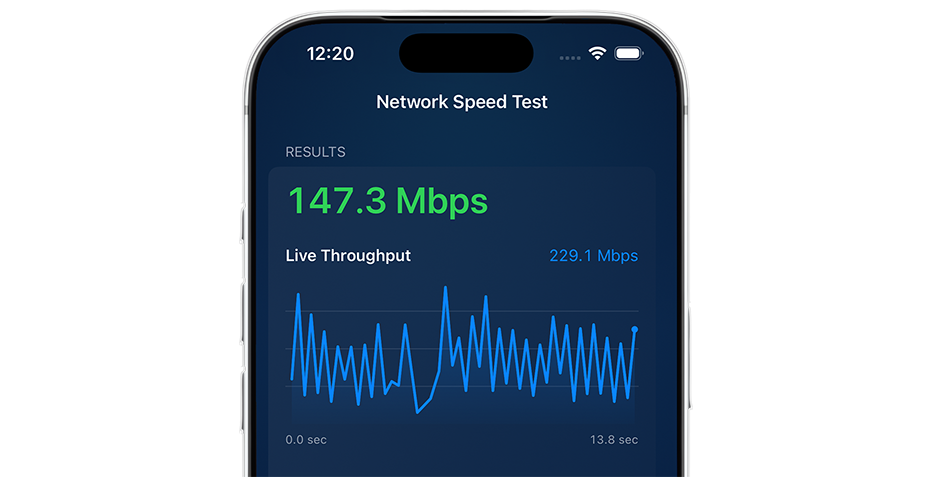
This test measures sustained download performance between your active media server and client device, using the same route Neptune uses for playback. The test can help identify whether buffering or playback issues are caused by the network connection, server route, or competing traffic. It does not decode the media, change playback history, or affect watched status.
Playback Benchmark
This benchmarks real media from your server directly on your client device. Add one or more movies or episodes to a test queue, then run the benchmark to receive a playback grade and detailed results. Neptune measures startup time, buffering events, read throughput, dropped and late frames, source retries, decoder performance, and other available device conditions.
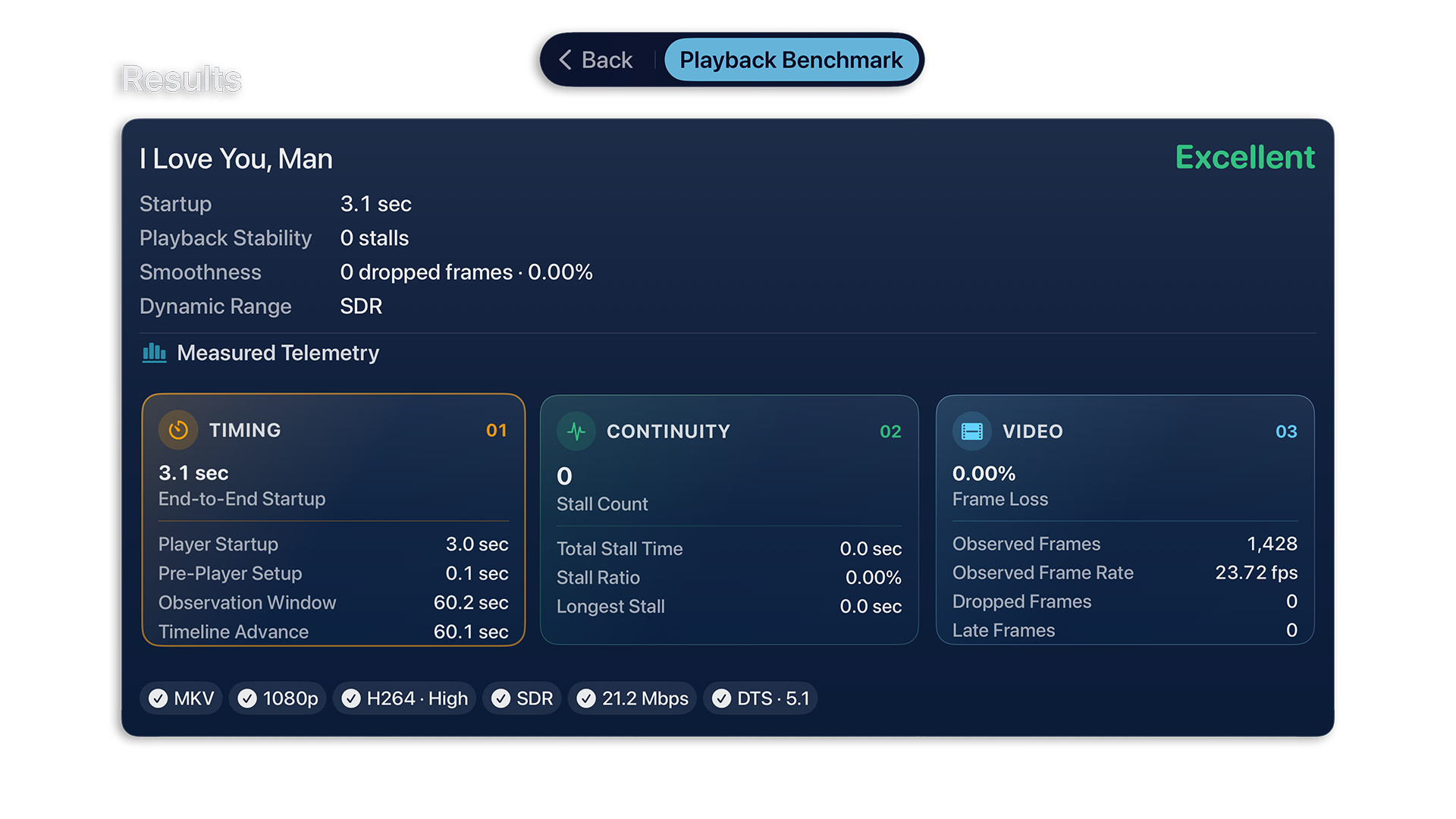
This makes it easier to distinguish network or delivery problems from issues in the playback pipeline, device hardware, or malformed file properties. Benchmark playback is isolated from normal viewing: it does not report playback progress, change watched status, or add activity history.
Expect more diagnostic tools to get added over time, making it easier than ever to find bottlenecks and resolve client facing issues.
Playback Updates
Adaptive player sizing
In most cases, a player offers two view-modes to users: fit the content within a set region (to avoid clashing with the Camera / Dynamic Island), or fill the screen to display it as full-screen.
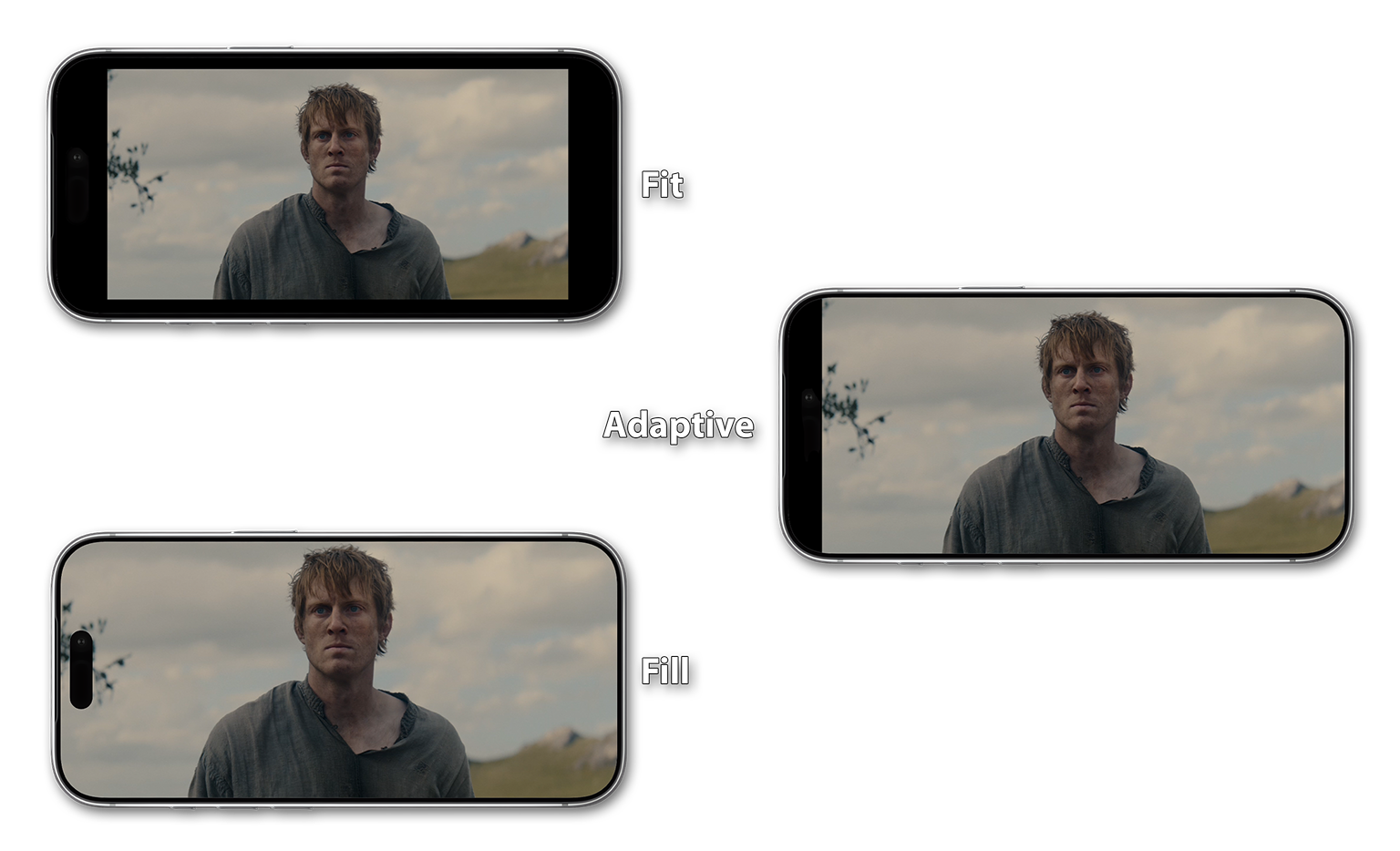
Neptune offers a third option: Adaptive Scaling. This option intelligently adapts the player and automatically accounts for the iPhone’s Dynamic Island when working out its available space, dynamically adjusting its size to give you the most available screen space without needing to block your content behind the Camera.
New Playback Controls
On iOS, double-tap either side of the player to skip forward or backward. The gesture keeps a common playback action close at hand without requiring you to reach for the timeline. The skip duration can be configured from Settings > Playback if you want to increase how far it jumps ahead on skips.
On tvOS, you can now pause/resume playback by clicking the center button on your Apple TV remote. In addition to that, a light touch peeks at the timeline so you can check on your progress at a glance. Requires a compatible Apple TV remote.

Impatient Mode
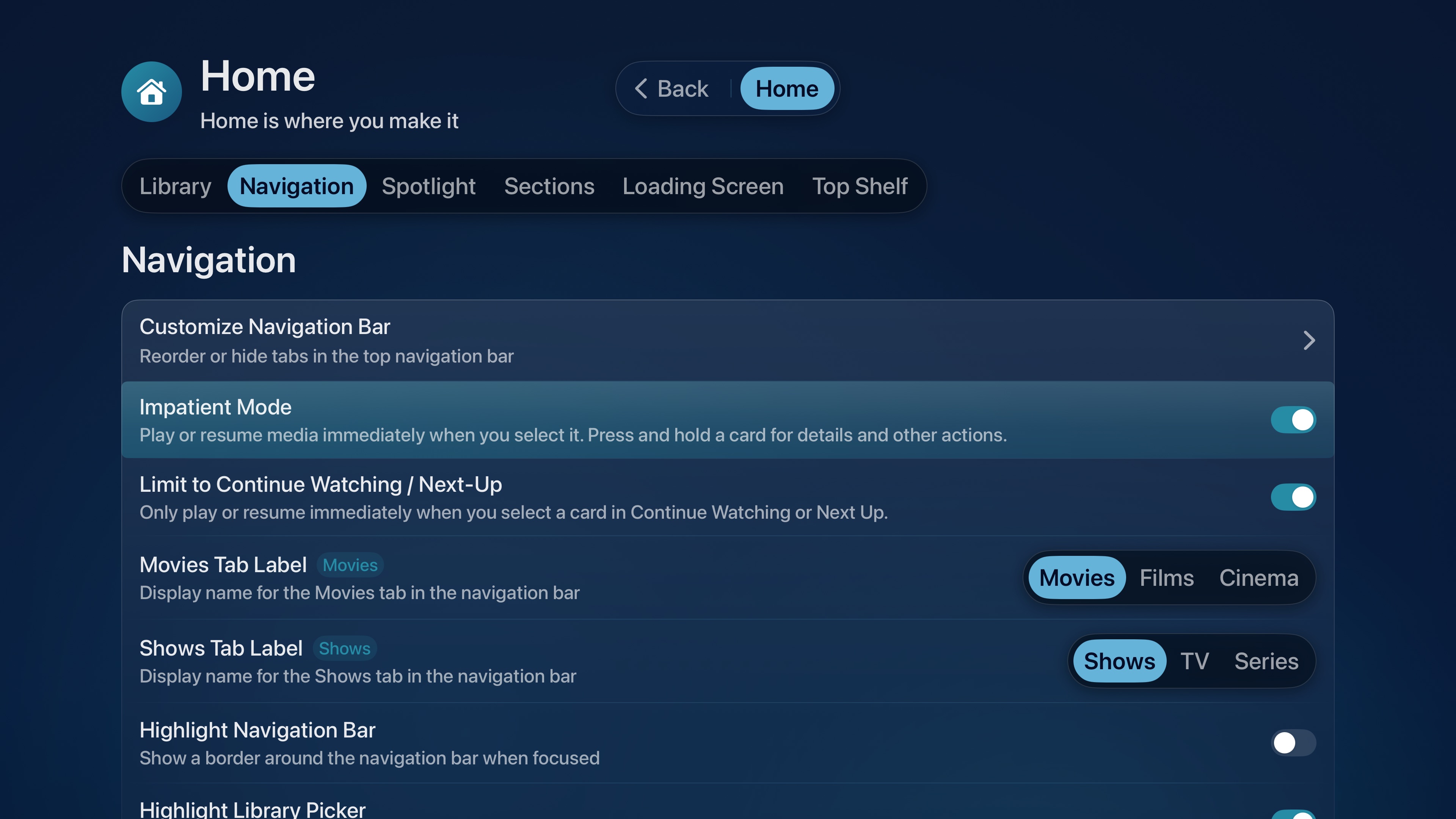
With Impatient Mode enabled, selecting a media item skips the menu navigation entirely and goes straight into a Play/Resume state of the selected item. If that’s too impatient for your taste, there’s an additional option to limit its behavior to Continue Watching / Next-Up items. This means selecting an in-progress item or series resumes playback immediately, while other items still fallback to their native menu selections.
Set Watch Progress
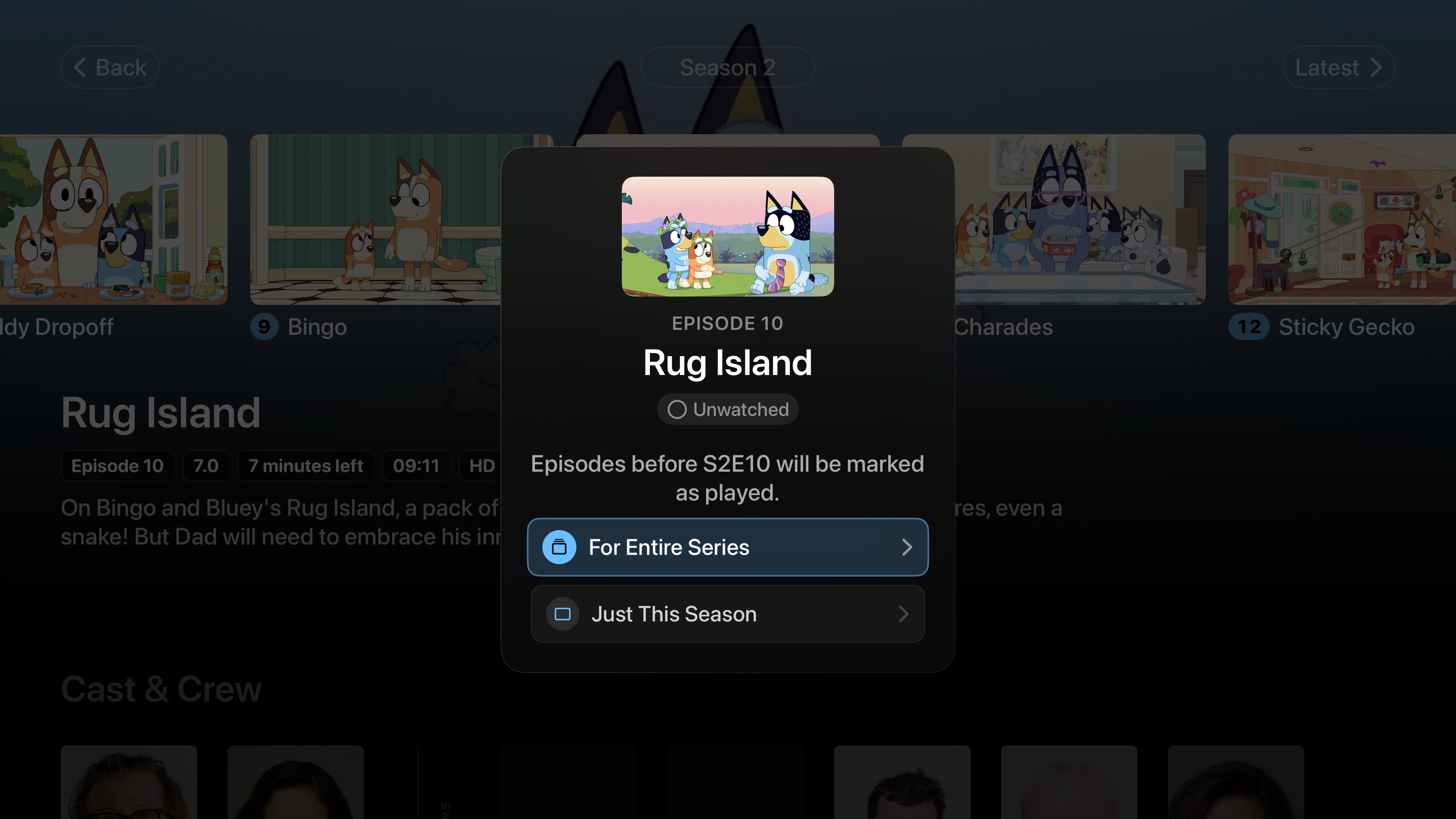
You can now Set Watch Progress by long-pressing an episode. This allows you to mark all previous episodes as watched in one go, quickly bringing your progress up to speed when resuming a series.
You can choose to only include the current season or set watch progress for an entire series.
Loading Screens
The previous generic splash-screen has now been replaced with a new, dedicated Loading Screen. Every time you startup Neptune, you’ll be greeted with a unique startup message - could be a useful hint, an interesting fact, or a fun observation. These messages can be disabled at any time from Settings > Home > Loading Screen.
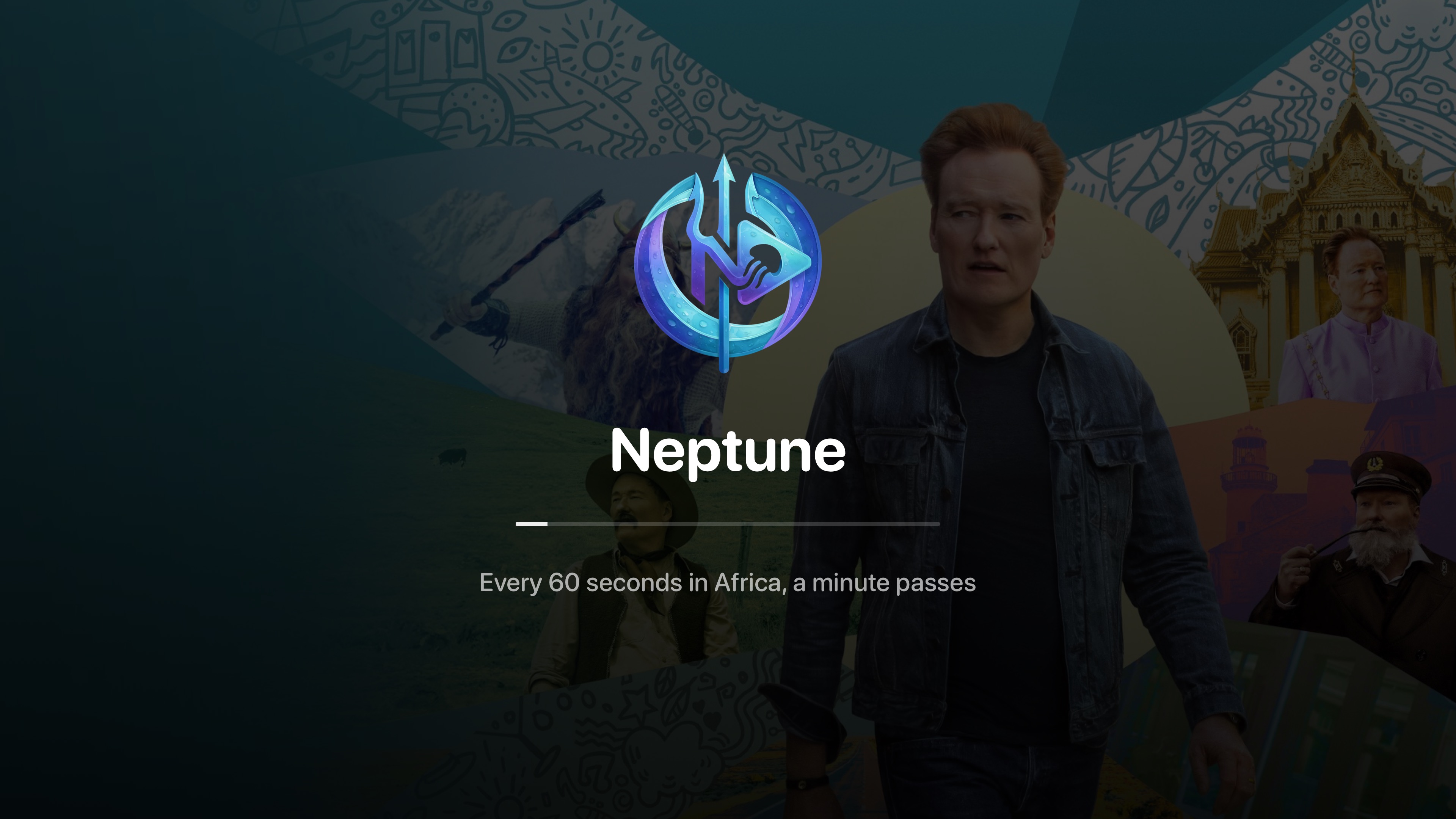
The Loading Screen is more than just cosmetic. Neptune’s UI now does a better job of preparing your Home Screen on cold launches, presenting your data more accurately and optimizing the navigation to ensure everything works as smoothly as possible.
With Neptune Pro, the Loading Screen can be customized with a backdrop that draws from user specified sources, such as your ‘Continue Watching’ and Next-Up queues, ‘Favorites’, and more. It could even be a completely random item from your Library.
Keeping Your Library in Sync
Pins across platforms
Pins now sync across platforms, including timestamped Pins. A Pin attached to a specific moment in an episode can follow you between clients just like a Pin attached to a title.
Selective Downloads
Downloads are now selective. Choose individual episodes when you only need part of a series, or select an entire season when you want everything together.
Independent TMDB metadata
TMDB metadata can now be disabled independently. If you do not want Neptune to use TMDB metadata, that choice no longer needs to be tied to unrelated metadata settings.
Position “See All” your way
Home sections now include new options for positioning “See All”. You can choose where the control appears instead of treating every section as if it needs the same layout.
By the way…
Version 1.2 also includes fixes across playback progress, memory, crashes, performance, and the user interface. Some of these changes are small on their own; together, they make Neptune more stable and offers a more enjoyable user experience.