Release
Neptune: Version 1.1
Full MDM administration suite available from Neptune clients, native Trickplay support, combine 'Continue Watching' and 'Next Up', stability improvements and a new iOS TestFlight

Manage Neptune Clients Directly
Neptune’s full MDM suite, which previously was only accessible through the plugin page, can now be used directly within Neptune clients to manage an individual user’s Neptune configuration or manage server defaults for all new users. Requires the latest version of Neptune’s Plugin Suite.
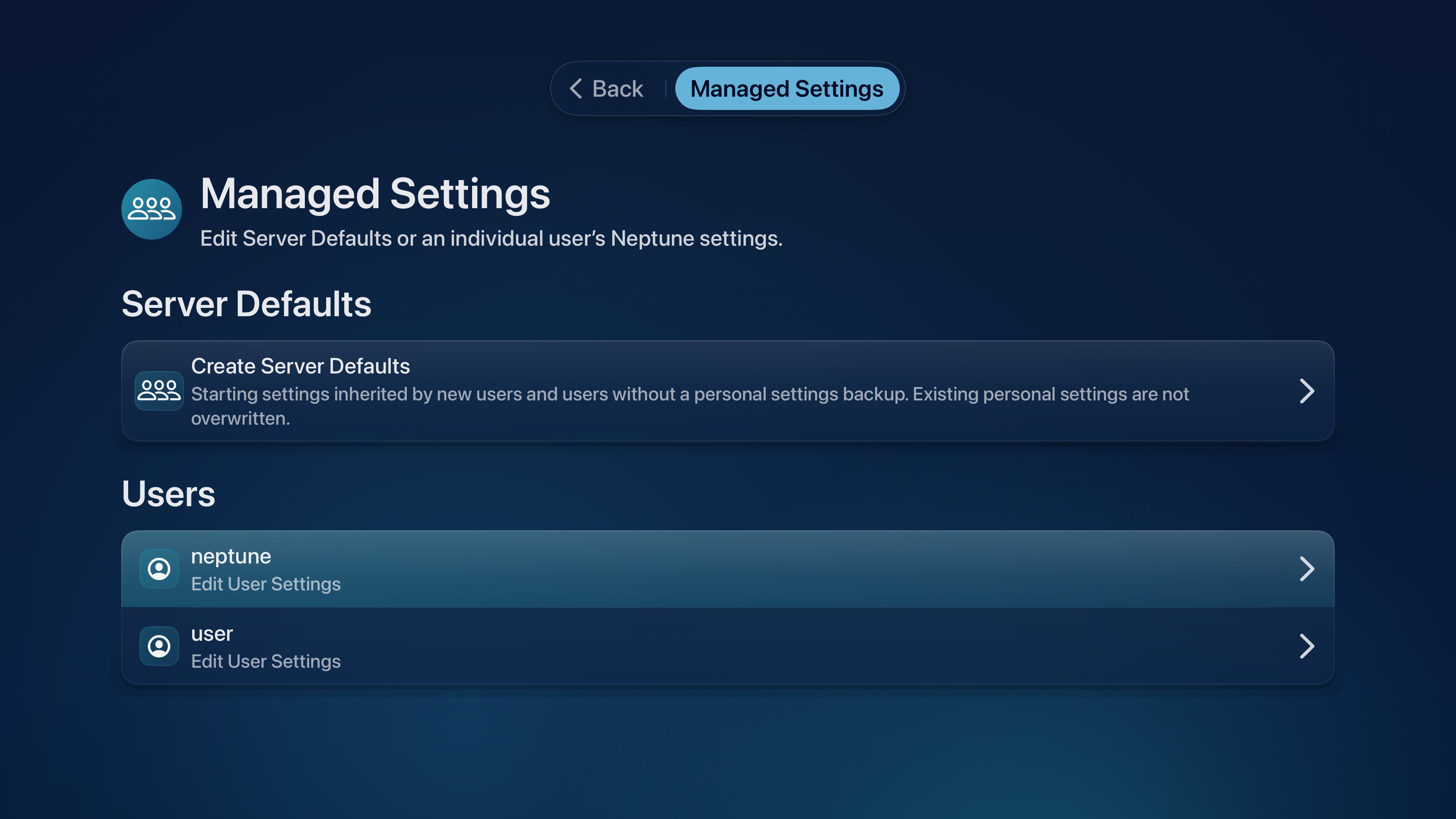
Managed Settings inherits the navigation and menus from Neptune’s own client. Every setting, toggle and adjustment appears right where you expect them to be, making the whole process feel familiar and right at home.
Device Specific Settings
Central management works best when it can account for the exceptions. You may want one playback configuration everywhere, without forcing your phone and television to share the same theme.
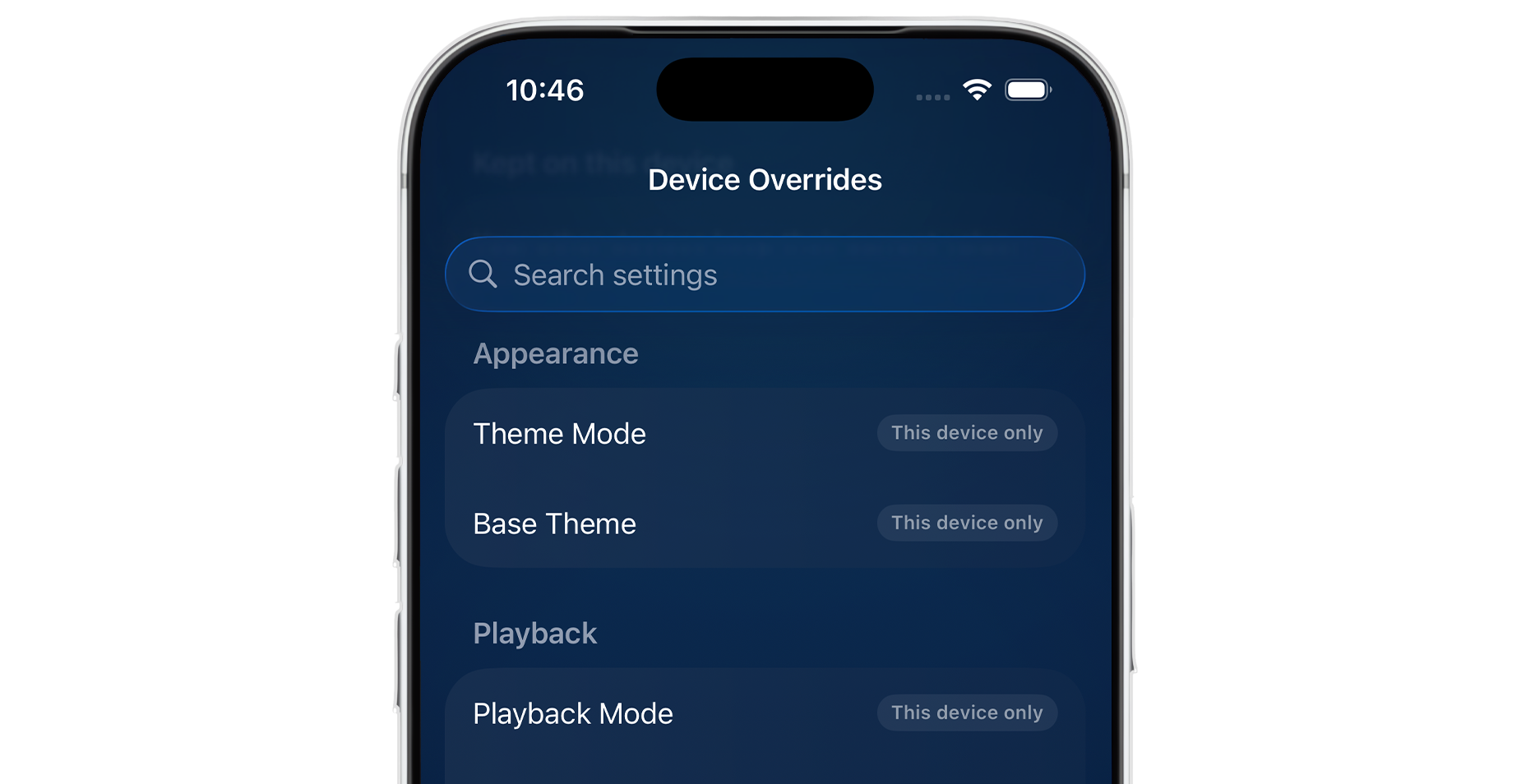
Device Overrides allow you to lock a preference on one device, leaving its local value in place while continuing to synchronize everything else. On iOS, swipe the preference from right to left to reveal the lock; on tvOS, long-press it. The complete list of all your overrides can be reviewed and updated from Backup & Sync > Device Overrides.
Preference Presets
Neptune’s MDM suite also gains device presets: named settings loadouts that can be prepared in advance and applied when needed. Administrators can make different presets the server default for different classes of device, rather than stretching one configuration across every screen in the house.
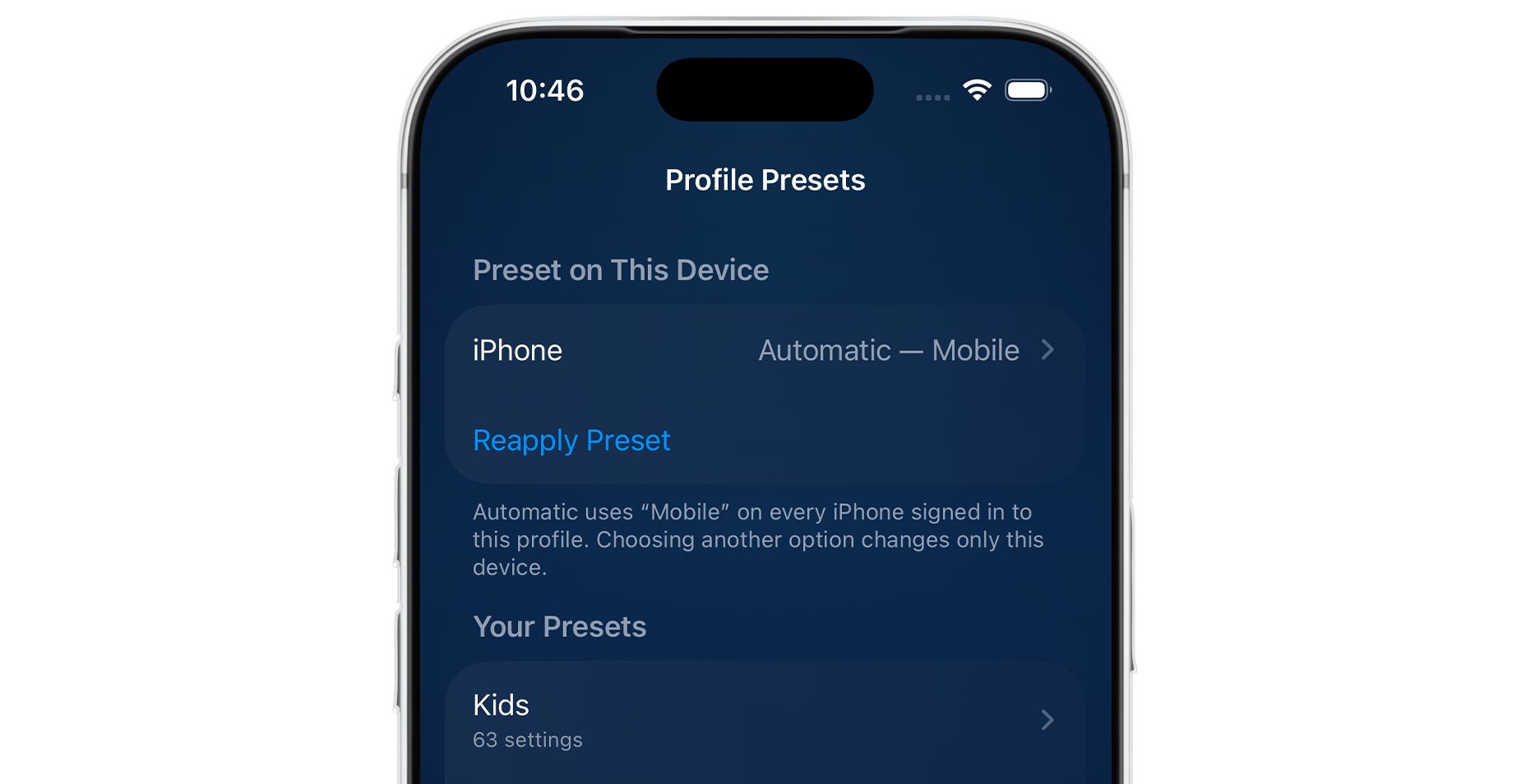
A server might assign Direct Play to every Apple TV while giving iPhones a transcoding preset. Users receive a configuration suited to the device, and administrators can replace the entire loadout without rebuilding it setting by setting.
Dashboard management and device overrides are entirely Free. Jellyfin administrators can use the full Neptune MDM suite via the Jellyfin WebUI and clients can pick what preferences they prefer to be locked to their specific device. Mobile device management directly from the client and profile presets are exclusive to Pro users.
Trident Updates
Neptune’s bespoke player gets a series of updates, making it both faster and more reliable, while also including some new and improved features.
Native Trickplay
Trident will now use your server’s Trickplay images to show a preview as you move through the timeline.

The feature has two controls under Settings > Playback. Seek Thumbnails is the master switch; disabling it removes previews altogether. Trickplay chooses whether Neptune should use server-provided Trickplay data or have Trident use its on-the-fly thumbnail extraction while you seek. When a title has no Trickplay data, Trident’s extraction takes over automatically. The seek bar therefore keeps its visual preview without requiring every item in a library to be prepared in advance.
Player Orientation
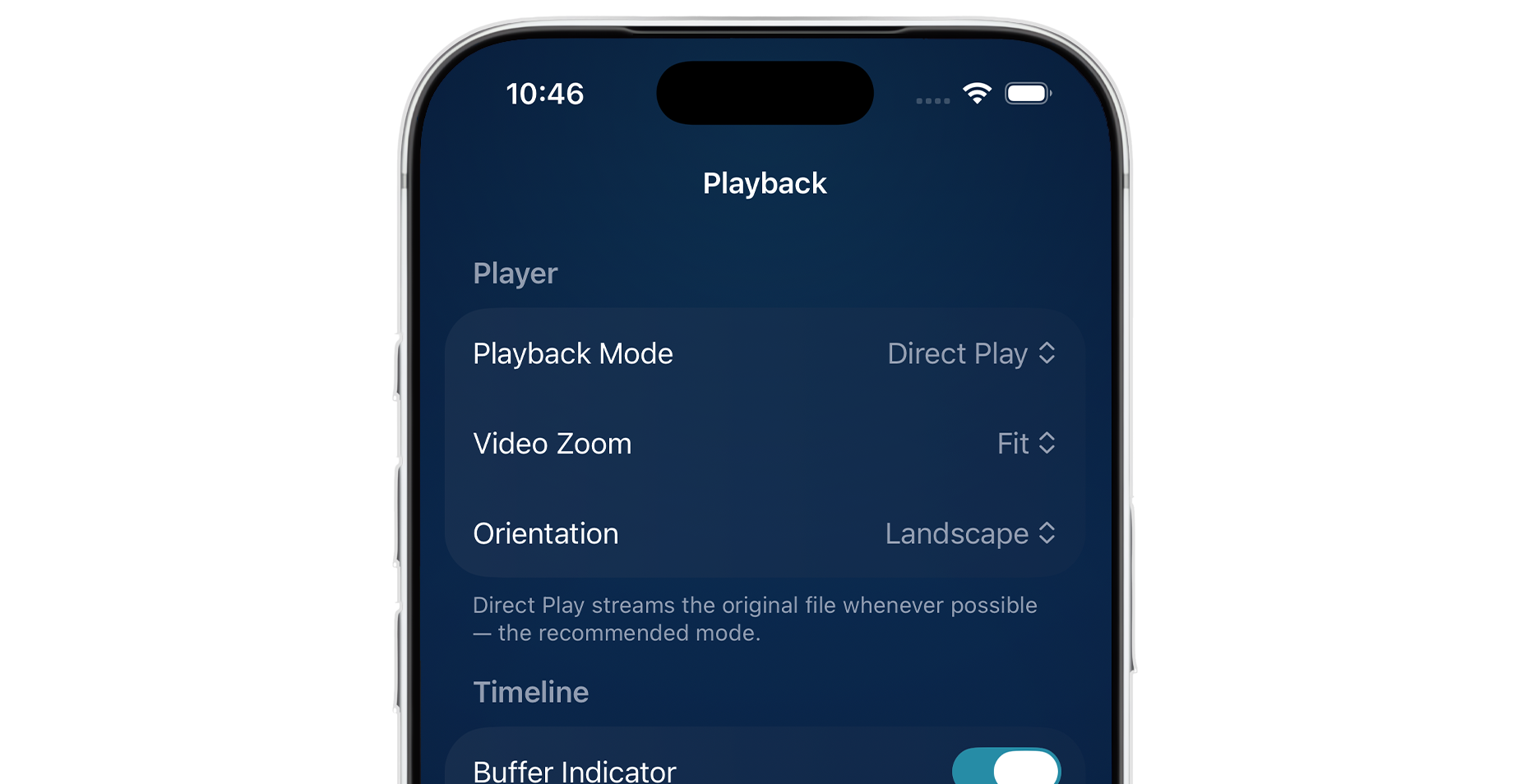
Playback settings now include player orientation controls. Auto follows the phone as it rotates, while Landscape keeps playback in landscape by default. An included rotation button inside the player can also switch orientation on demand, including when iOS rotation lock is enabled.
Picture Perfect Backdrops
Unlike posters, backdrops are wider, langscape oriented images meant to fill the background of your screen. This poses an issue on phones, which are usually held upright. With the latest version of Neptune, backdrops no longer need to be fixed in place.
Hold your finger over a backdrop to begin editing its position. From there, you can move the image around in any direction, and even pinch to zoom in or out of the image. A blur effect is automatically applied to areas outside of the image, so you can reposition the images however you like without interrupting the layout of the page.
There is also a new Smart positioning option under User Preferences > Appearance that allows Neptune to automatically adjust backdrops for optimal framing. Manual adjustments are still recommended for you perfectionists out there.
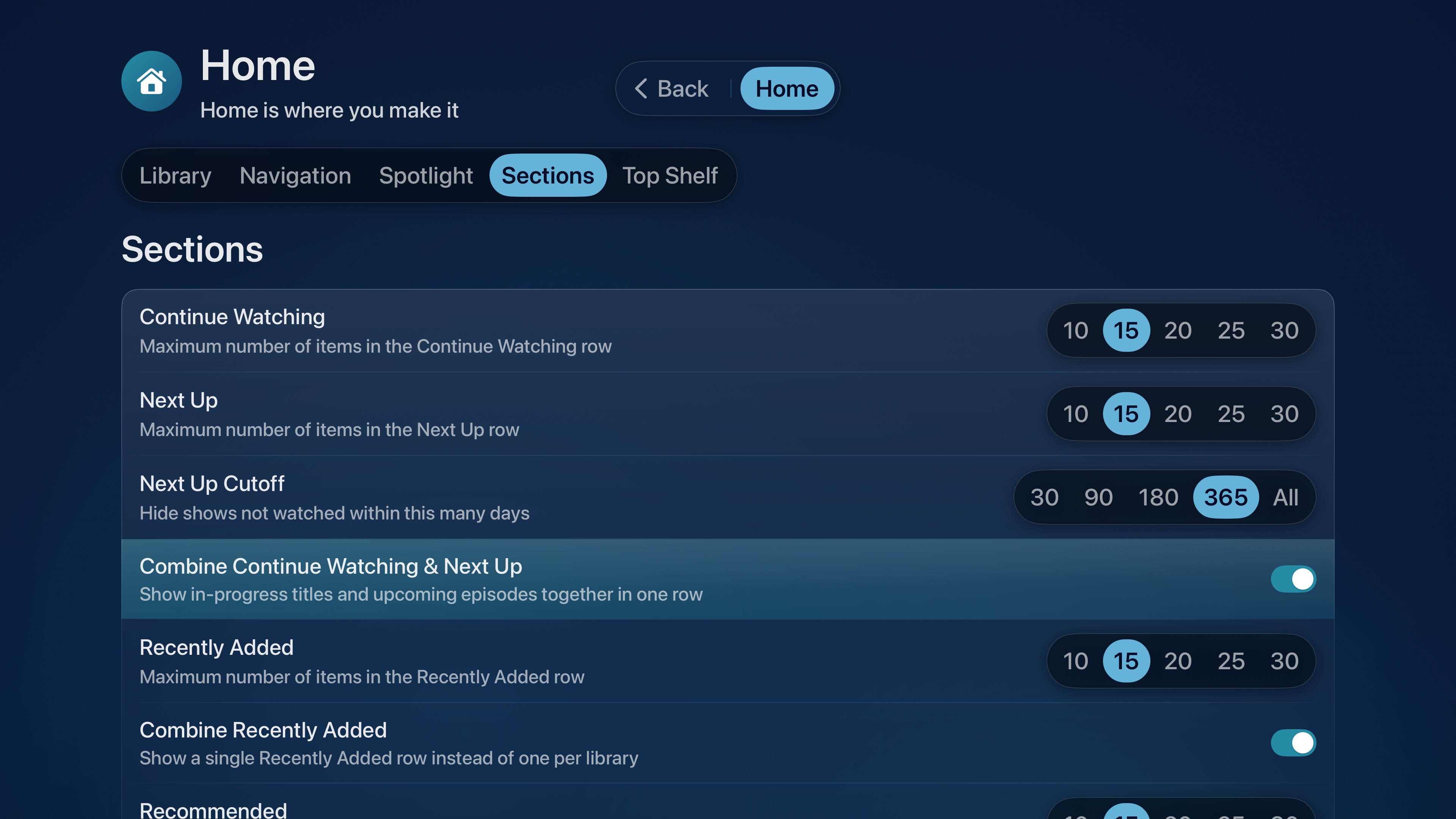
‘Continue Watching’ and ‘Next Up’, available as one
You can now combine your ‘Continue Watching’ row with ‘Next Up’, to create one unified section that houses content from both - eliminating the need to separate the two and creating one shared experience for the content you are actively watching.
By the way…
In addition to the above features, this update also includes a lot of bug fixes and stability improvements across clients, Trident, the logging system, and the plugin suite. Neptune for tvOS continues to offer the same premium experience you’ve come to expect, while Neptune for iOS begins adopting more features from its TV counterpart. The iOS TestFlight is currently public and available to everyone, for both iPhone and iPad. Please join our Discord to learn more.